
View Log and Runtime Records
Controller system log
Users can view the controller system log in the "Home > Log" tab.
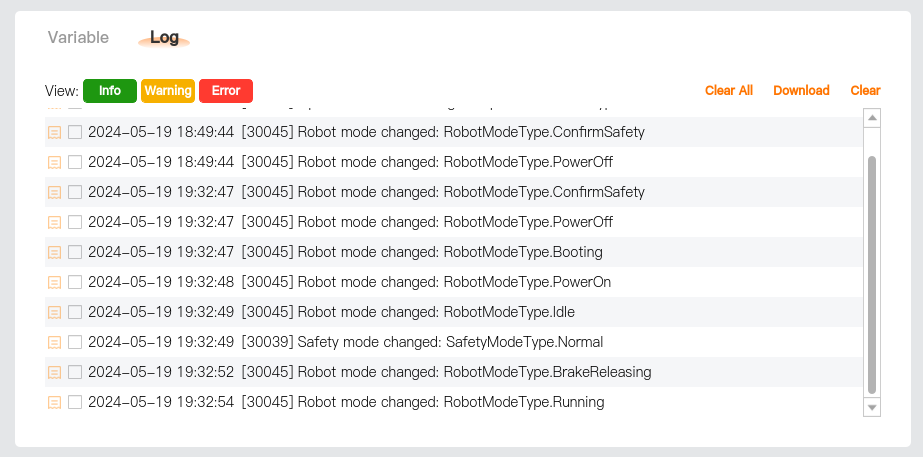
View: Logs are classified based on severity into Info, Warning, and Error.
- Info: Provide general information such as program status, controller changes, and controller version.
- Warning: Problems that may have occurred but are recoverable by the system.
- Error: Errors that are unrecoverable by the system and will cause a fault and safe stop of the robot.
Clear All: Cleaning up the [Log] tab.
Download: Export log files. For details, please refer to Log export - Direct log export.
Clear: Clear the checked logs. The cleared logs will not be displayed in the interface any more. For instructions on deleting log source files, please refer to System settings - System - Clean Up.
Teach pendant operation log
Users can view all their operation records in teach pendant software in "Settings > Permissions > Operation log."
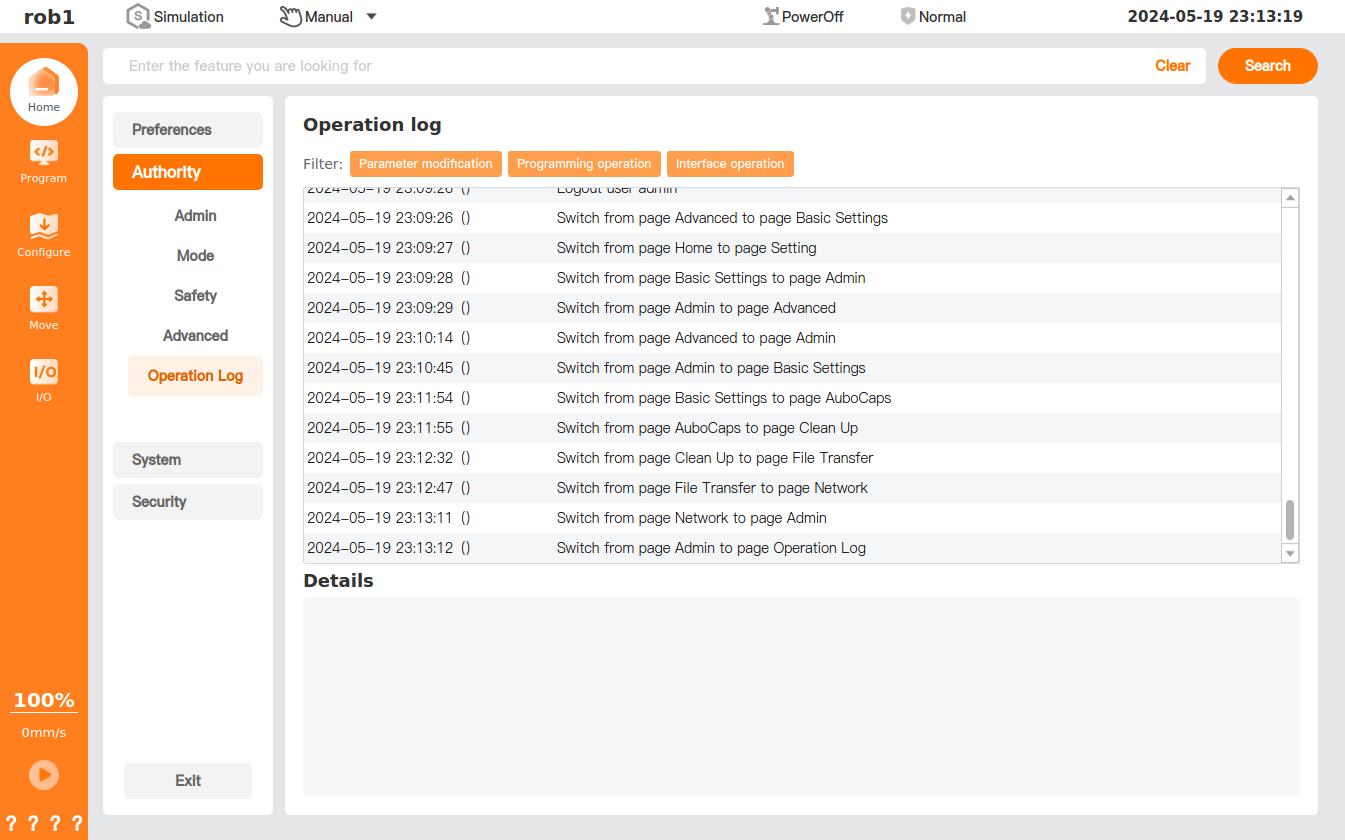
Runtime records
Users can view the program's runtime records in "Programming > Program Information Card > Trace." For details, please refer to Program Information Card - Trace.