Backend Script Template and Editing Guide
1. Introduction
ARCS supports executing scripts in the backend, commonly used for scheduled tasks, data processing, log recording, and so on. This document explains the backend script template and how to use it, to help you quickly understand this feature.
2. Creating a Script Template
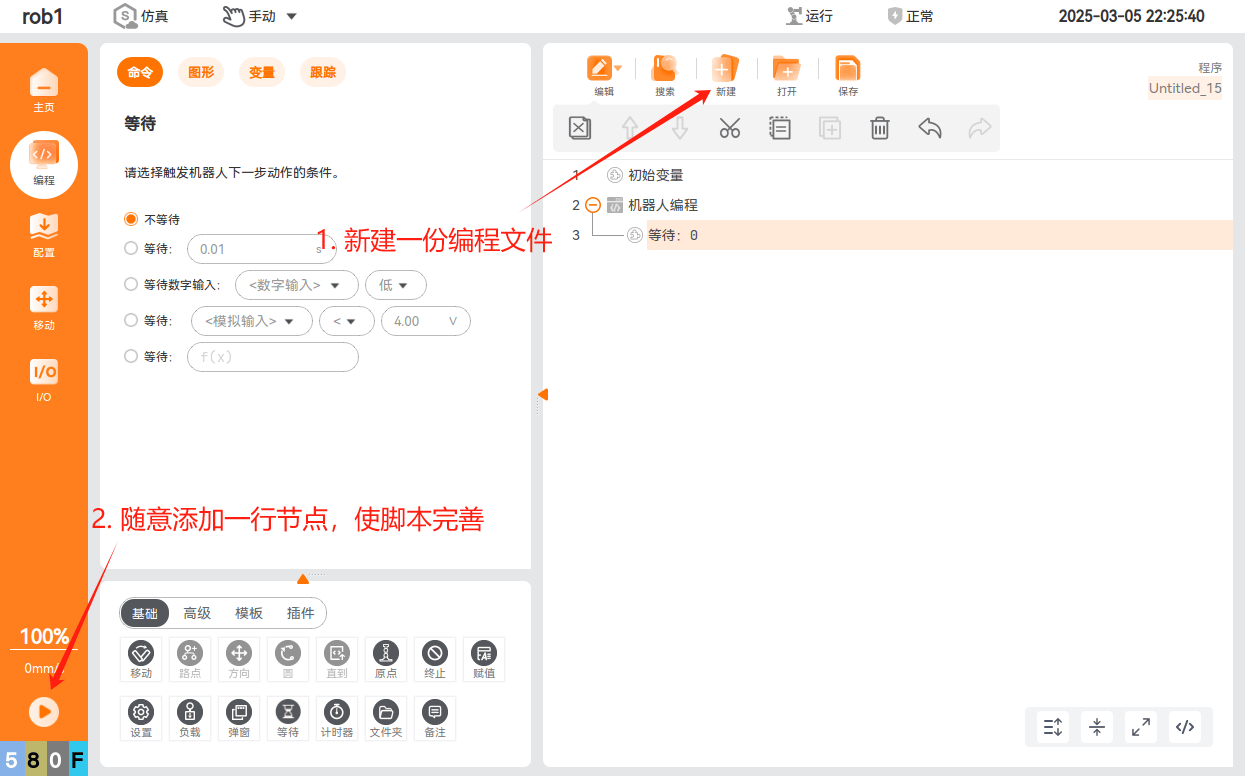
- Go to the ARCS programming page and create a new file; add a line of nodes, and the script will be automatically generated once the program is completed.
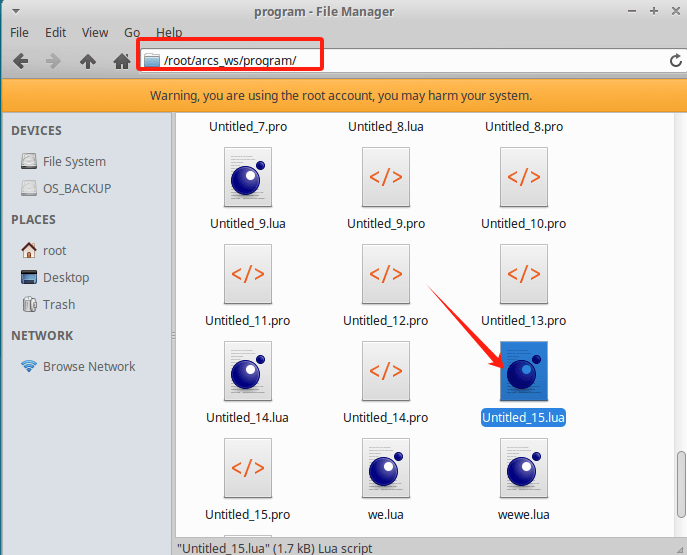
- Find the current script in the file system; find the .lua file with the same name under the /root/arcs_ws/program directory
- Write the backend pre-execution script logic in the main function;
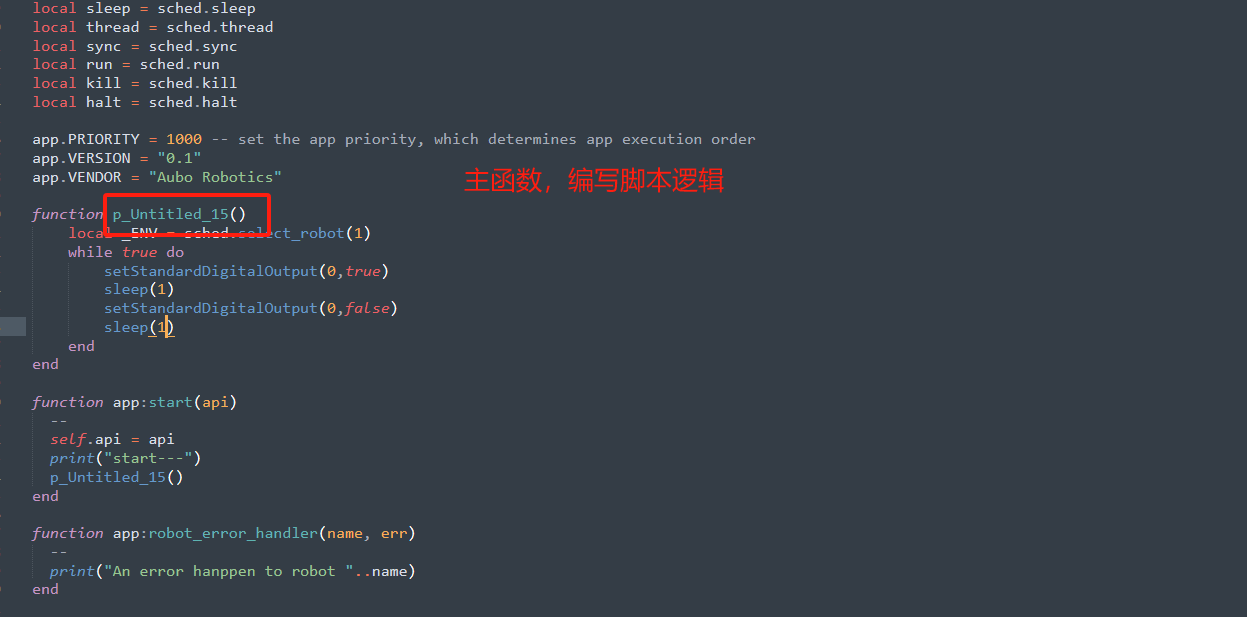
- If you edit the script locally, upload it again to the /root/arcs_ws/program directory after editing
3. Executing the Backend Script
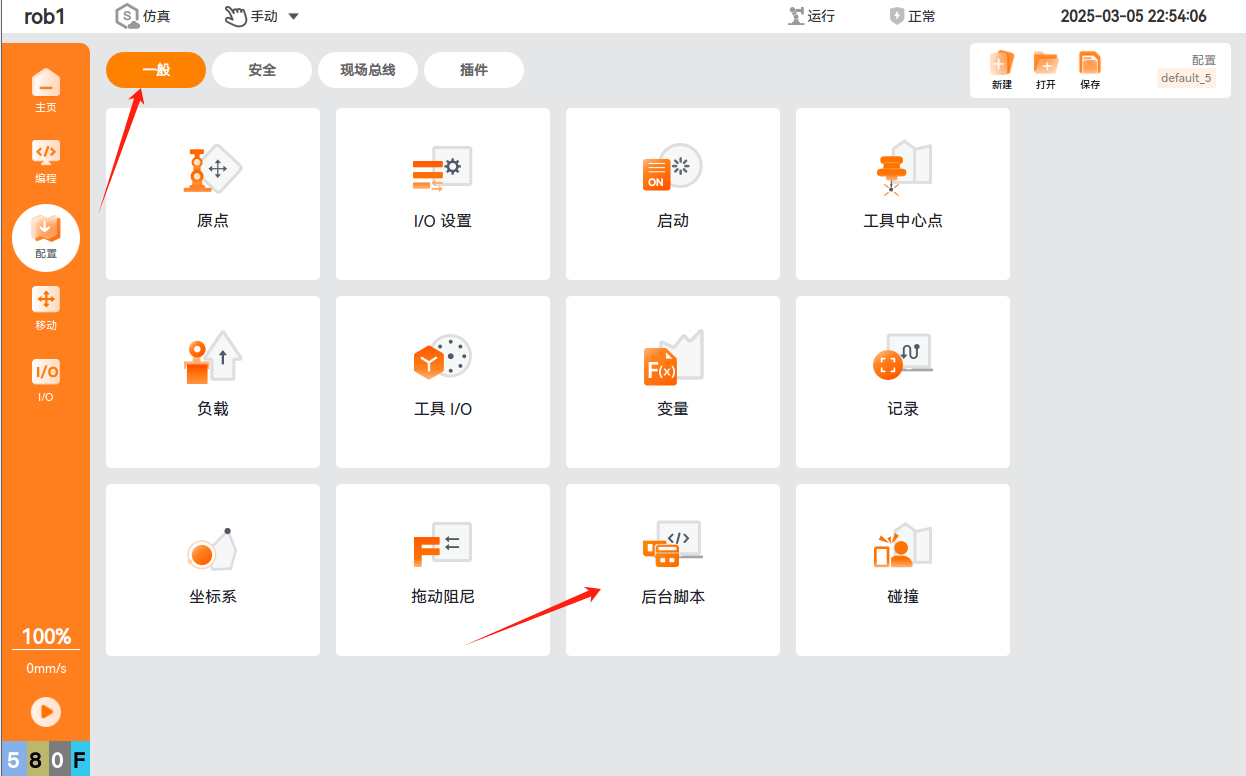
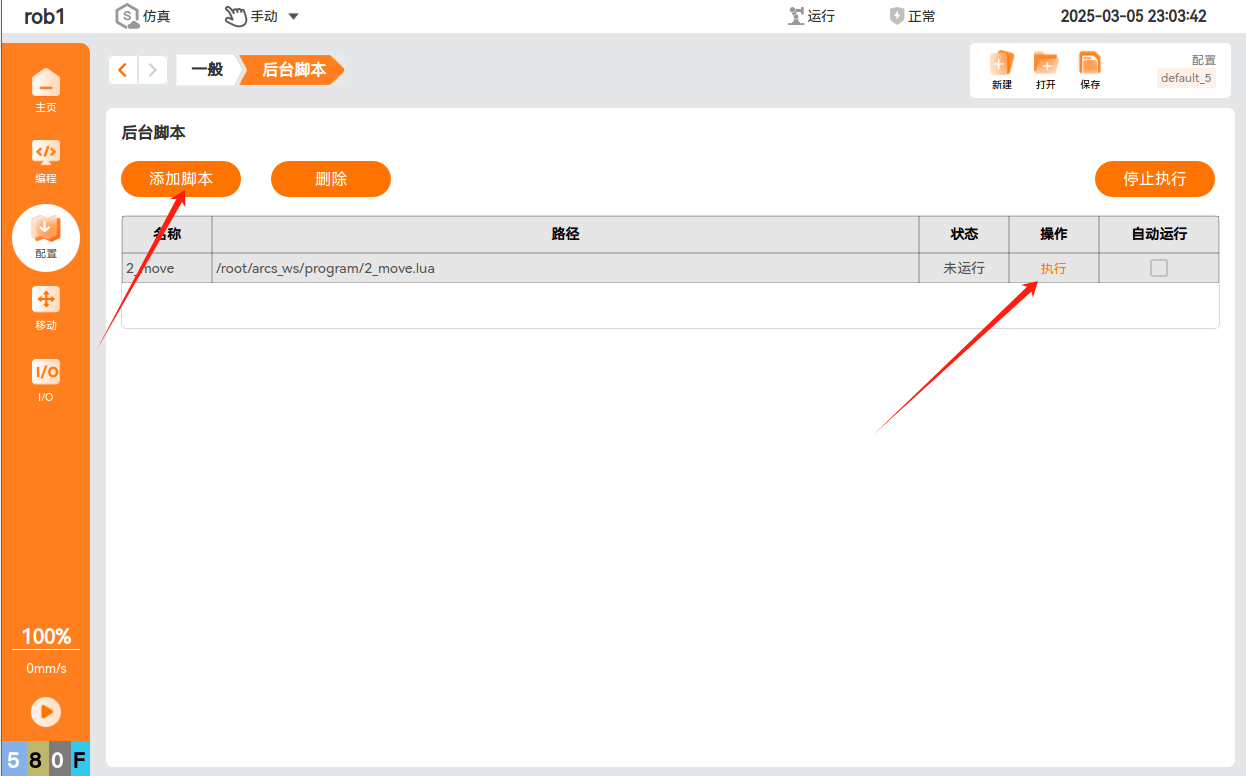
Go to the ARCS configuration page, and click Backend Script Feature; call the edited script to execute it.