
Resolving Emergency Stop That Cannot Be Released Due to an Enabled Handle Function Without a Connected Handle
When the teach pendant interface shows an emergency stop state, after ruling out the teach pendant emergency stop button, the control cabinet emergency stop button, the control cabinet emergency stop IO, and the software-configured emergency stop IO, it may be caused by enabling the handle function.
For example, the improved control cabinet does not enable the handle by default. After enabling the handle, if no handle is connected, the interface will show a triggered emergency stop that cannot be recovered. The handle function can be disabled using the following method.
Confirm the Emergency Stop Trigger Source
Search the aubo_control log for
rob1 - robot emergency stop trigger is X.Convert
Xinto a 4-bit binary number. From left to right, each bit represents the following trigger source:First bit Second bit Third bit Fourth bit Fixed IO Handle emergency stop Teach pendant emergency stop Control cabinet emergency stop For example: if
Xis 4, converting it into a 4-bit binary number gives 0100, indicating the handle emergency stop is triggered; ifXis 6, converting it into a 4-bit binary number gives 0110, indicating both the handle emergency stop and the teach pendant emergency stop are triggered.
Method to Release the Improved Control Cabinet Handle Emergency Stop Trigger
Modify
intergated = truein/opt/arcs/{ARCS_VERSION}/aubo_description/config/cb_i.conf, then restart the control cabinet.
Enter
Configuration - Handle Settings.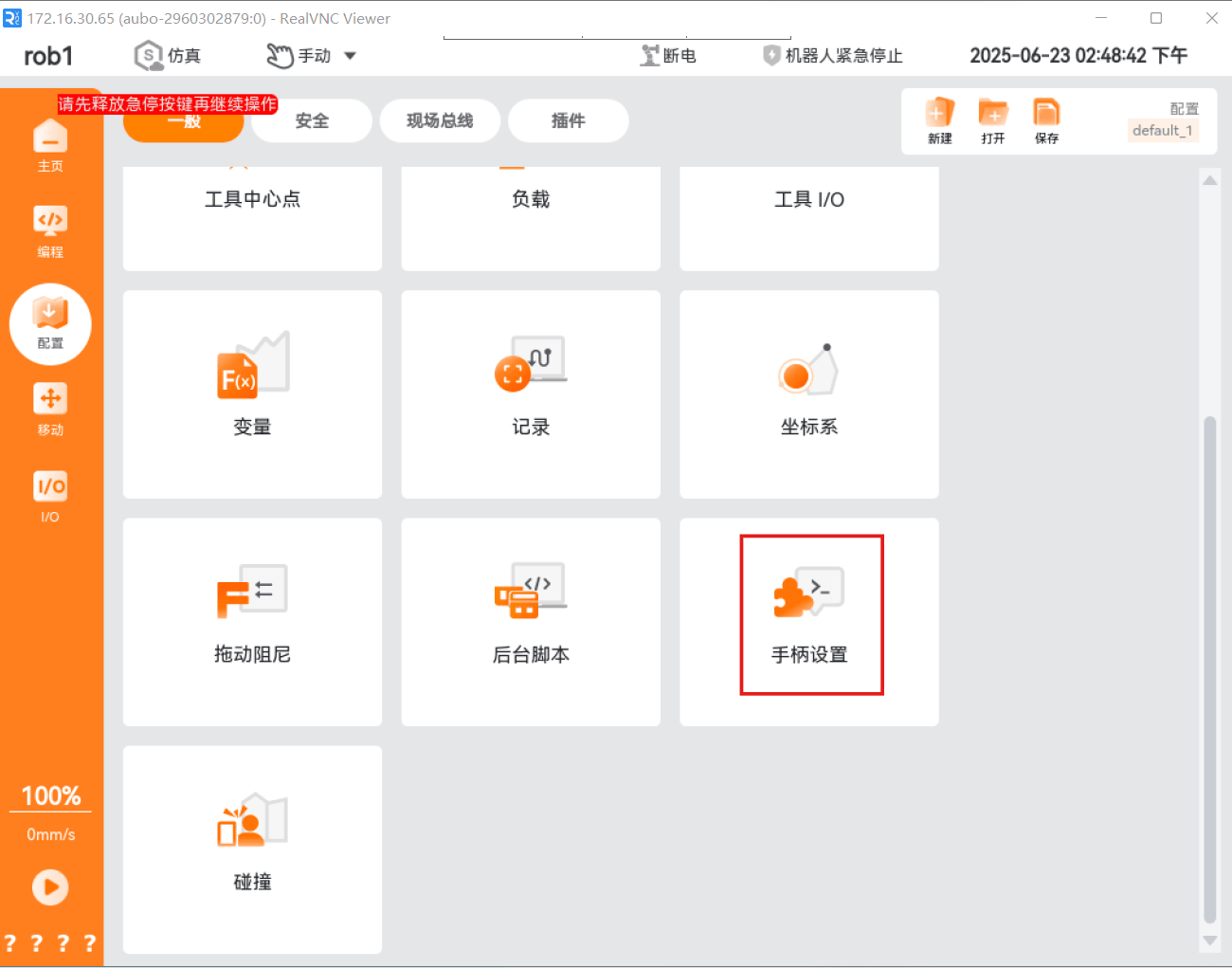
Select
Use without the control handle, then clickApply, and the emergency stop is released.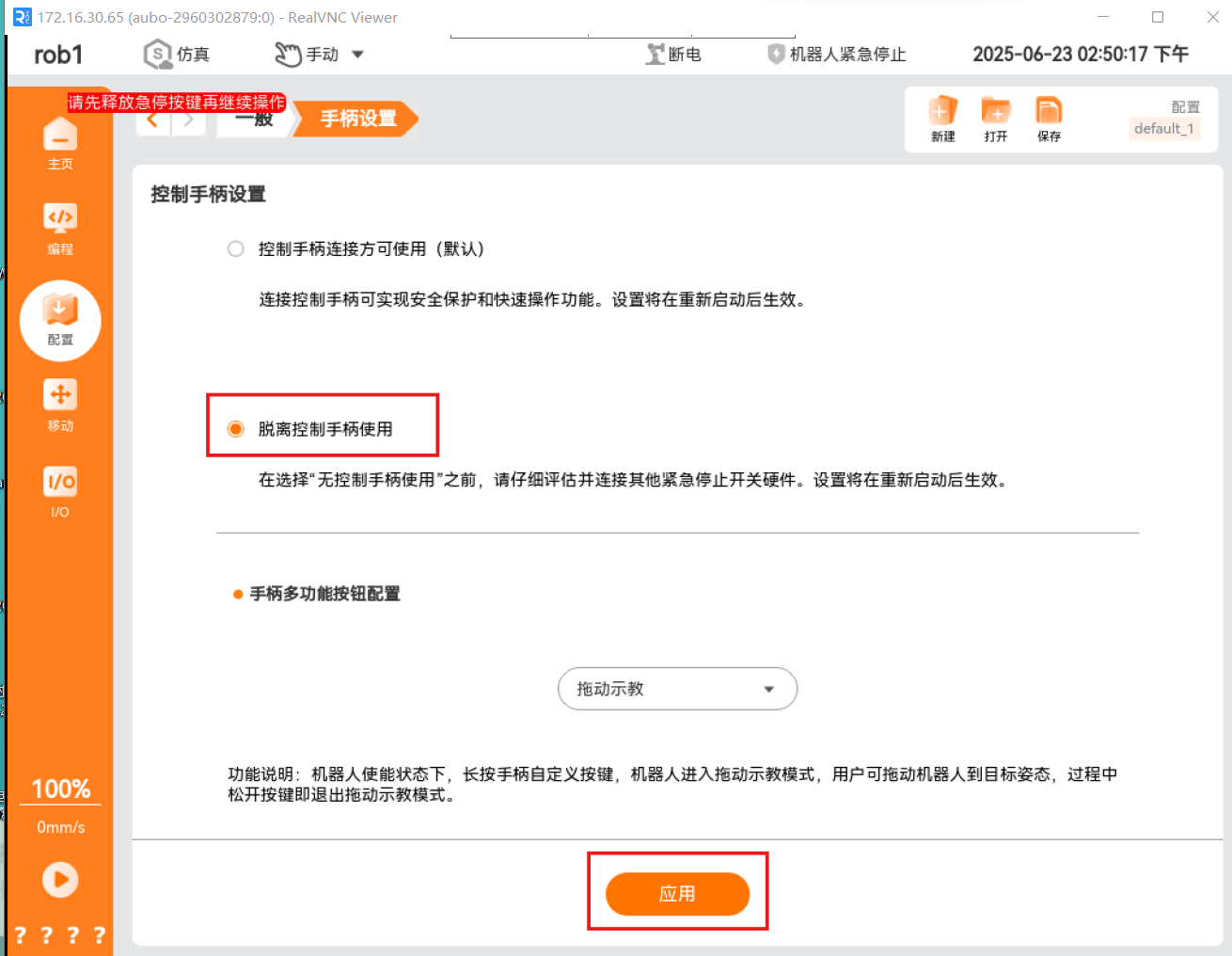
Modify
intergated = falsein/opt/arcs/{ARCS_VERSION}/aubo_description/config/cb_i.conf, restore the configuration, and restart the control cabinet.