Collision Detection Based on the End Force Sensor
I. Feature Overview
Detect whether the end tool and workpiece collide via the end sensor. Compared with traditional current-based collision detection, it is faster and more sensitive.
This feature was optimized in version 0.32.1 and later.
II. Usage
1. Versions Before 0.32.1
Copy the force_collision.lua file into
/root/arcs_ws/program.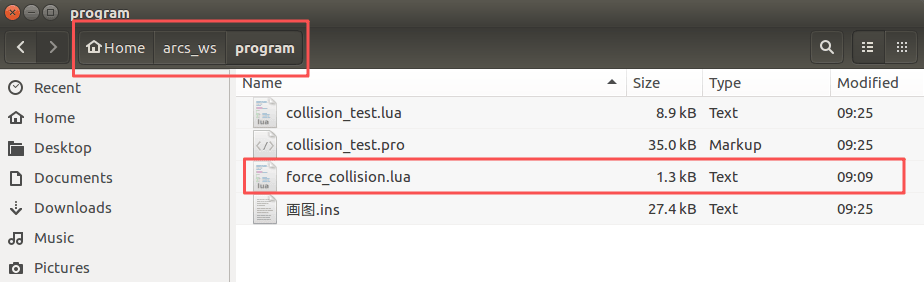
Load the
force_collision.luascript in the project.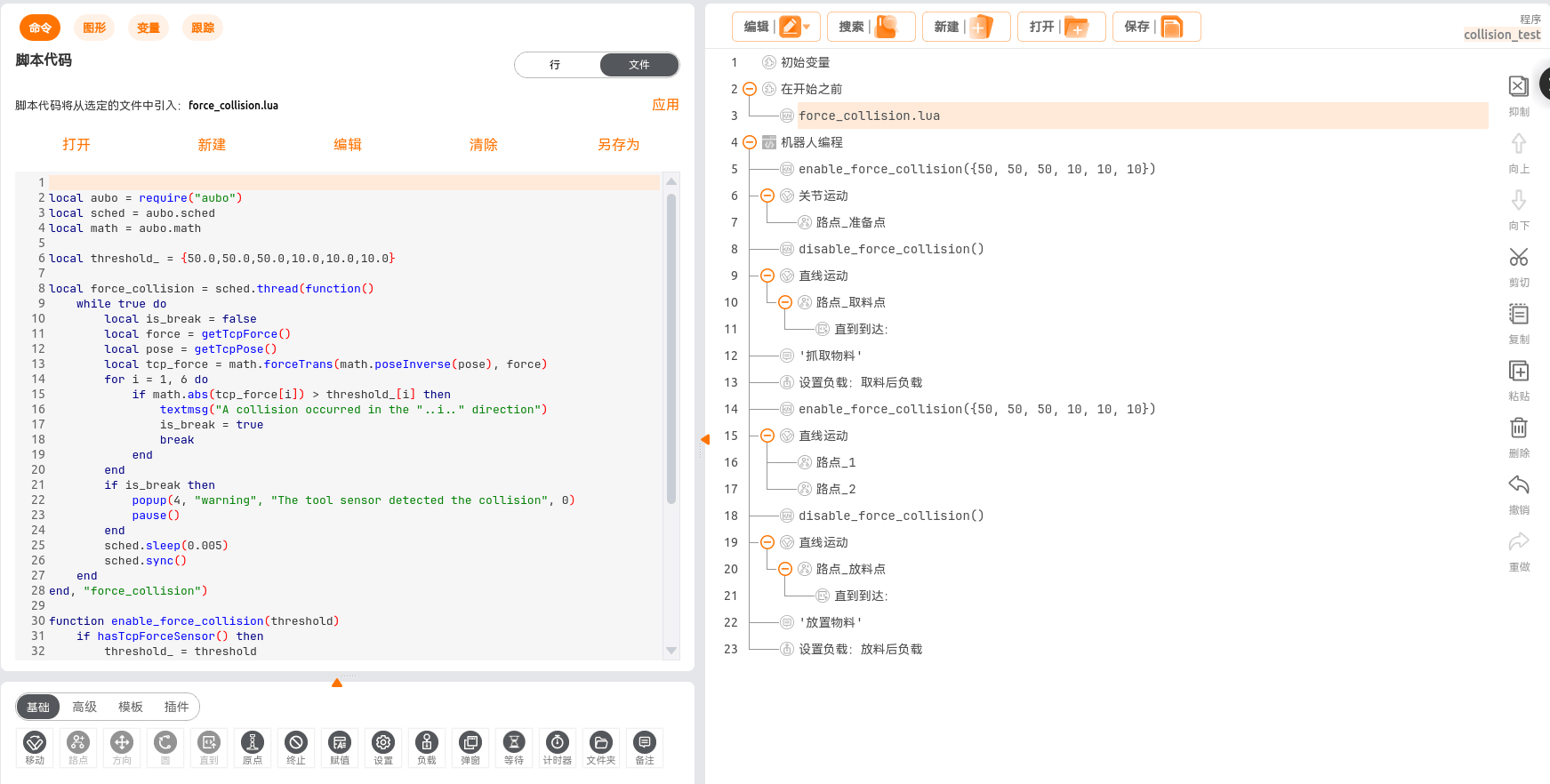
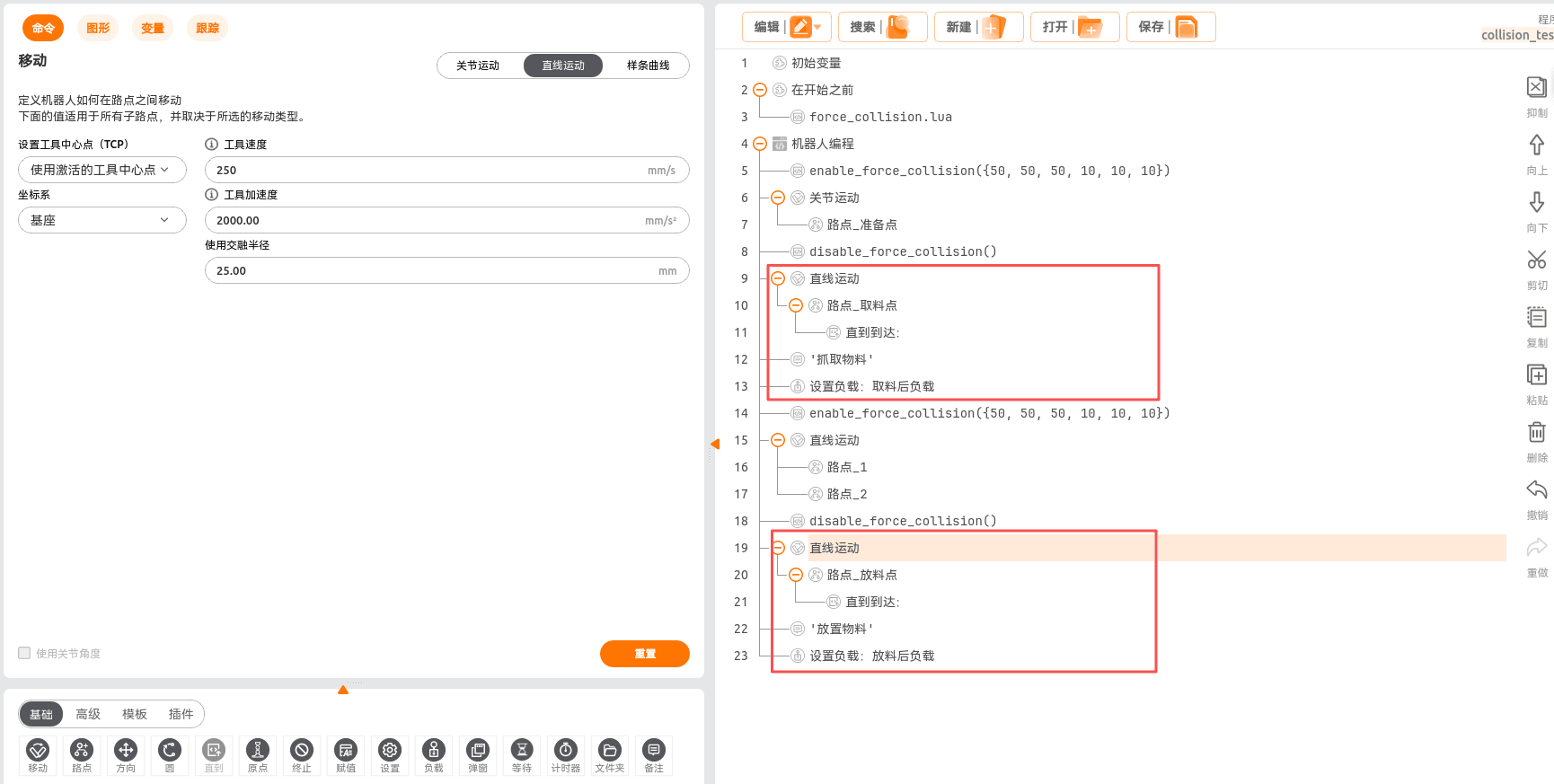
Enable collision detection and enter the desired collision force threshold.
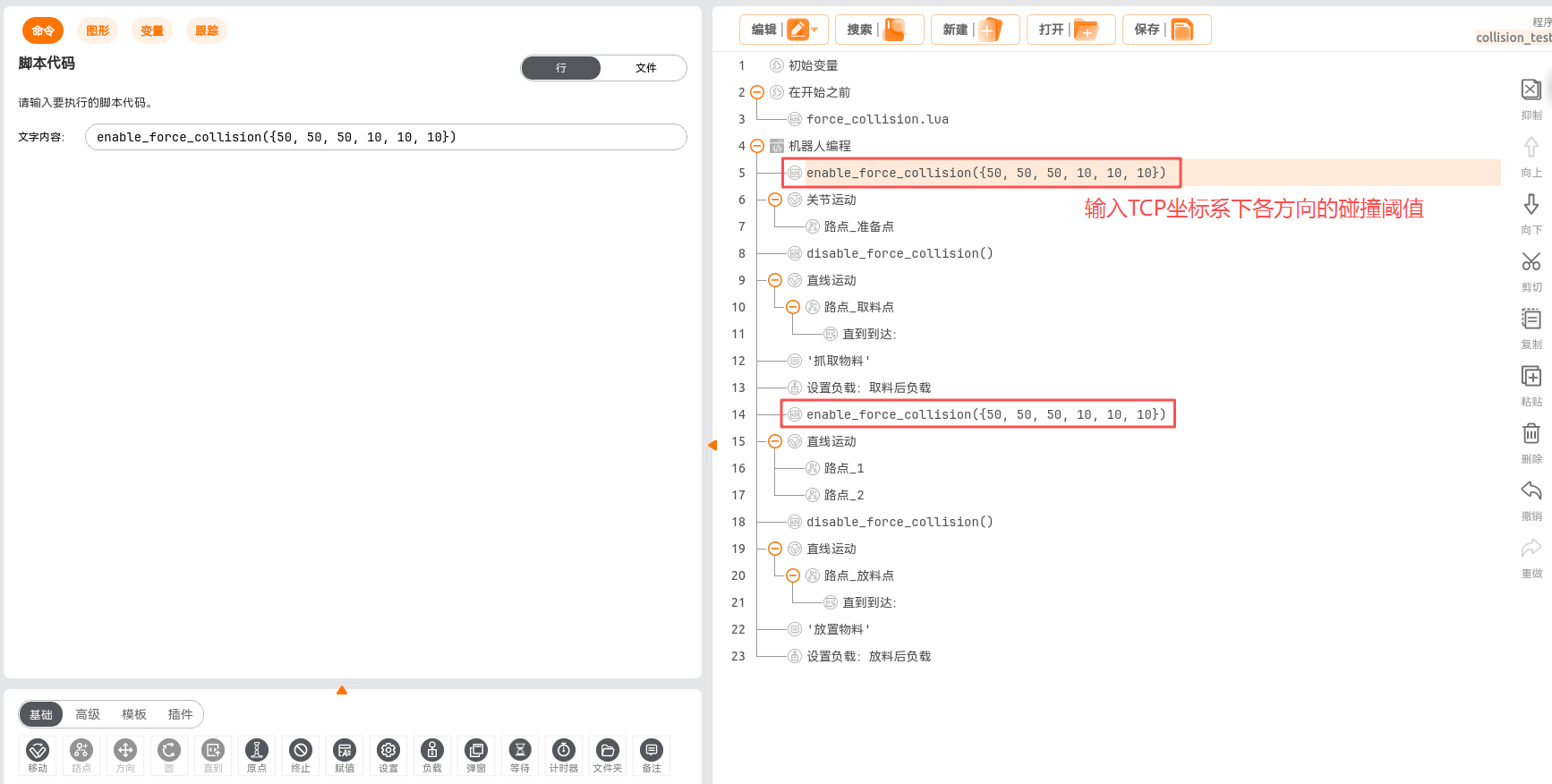
Disable collision detection.
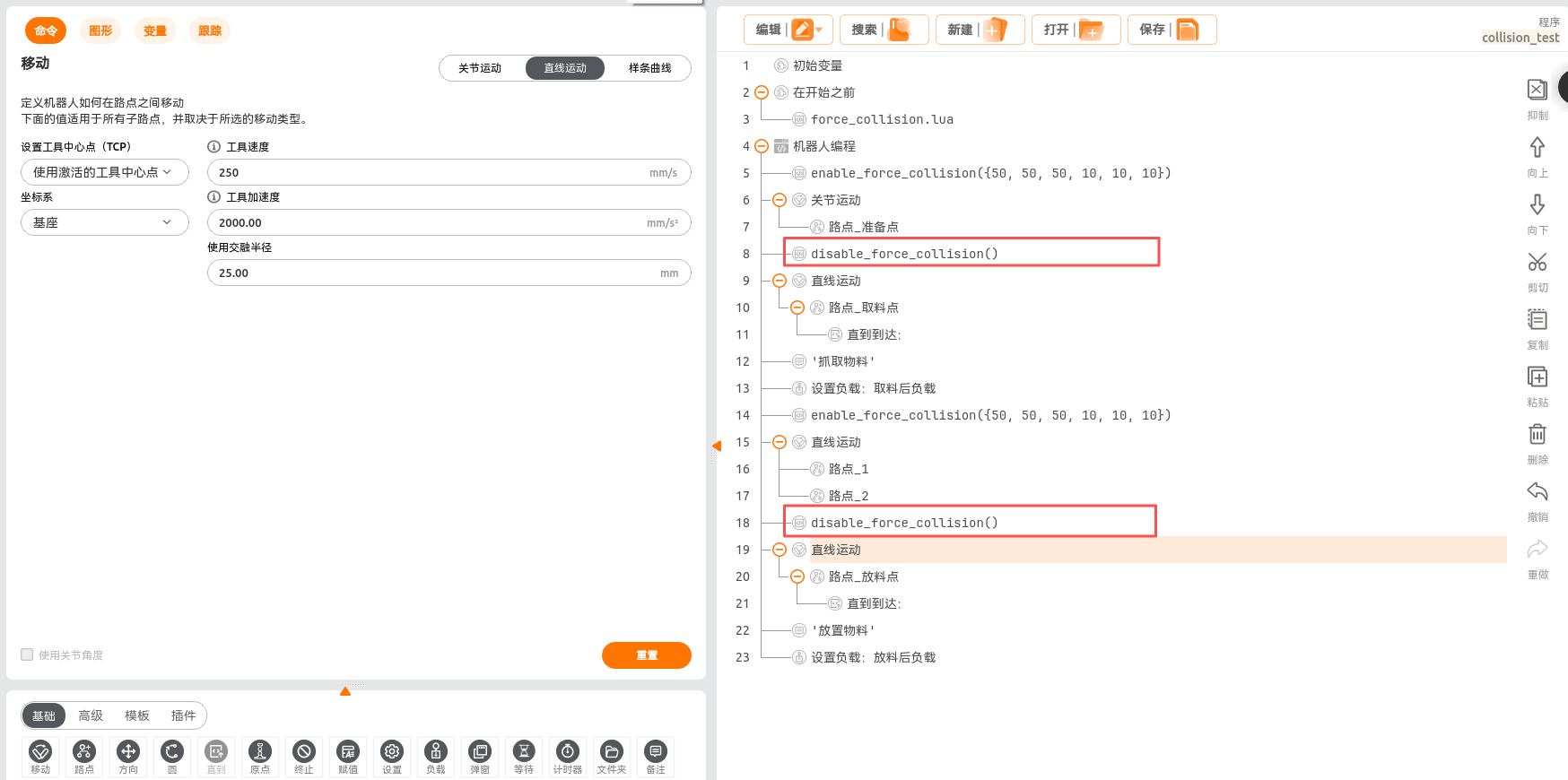
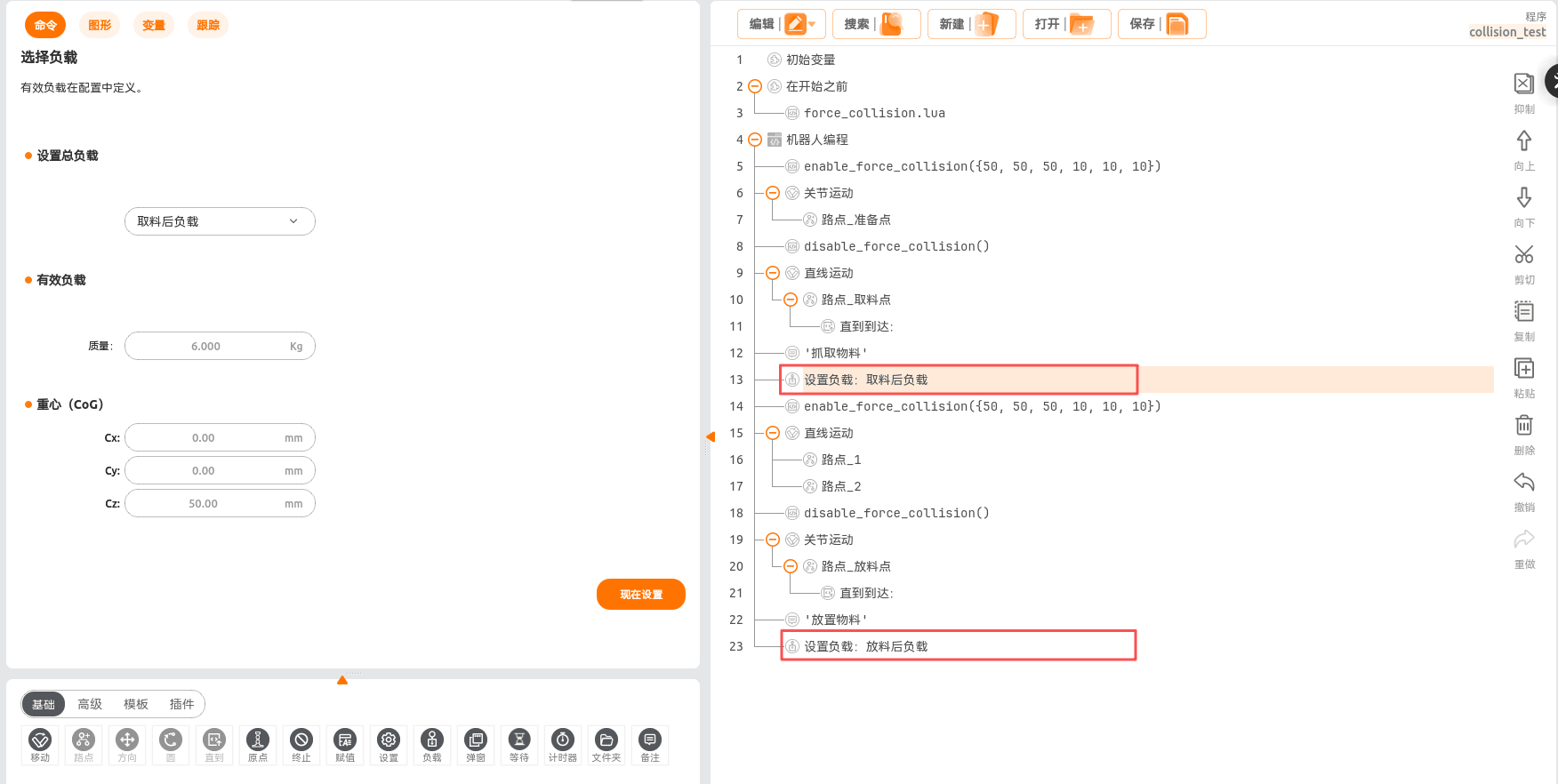
Collision detection is not performed during pick-and-place.
2. Version 0.32.1-alpha.69 and Later
Optimizations:
- Added the end collision threshold identification function.
- The end collision threshold is associated with the collision level.
- Added interfaces to enable/disable the end collision function.
End Collision Threshold Identification
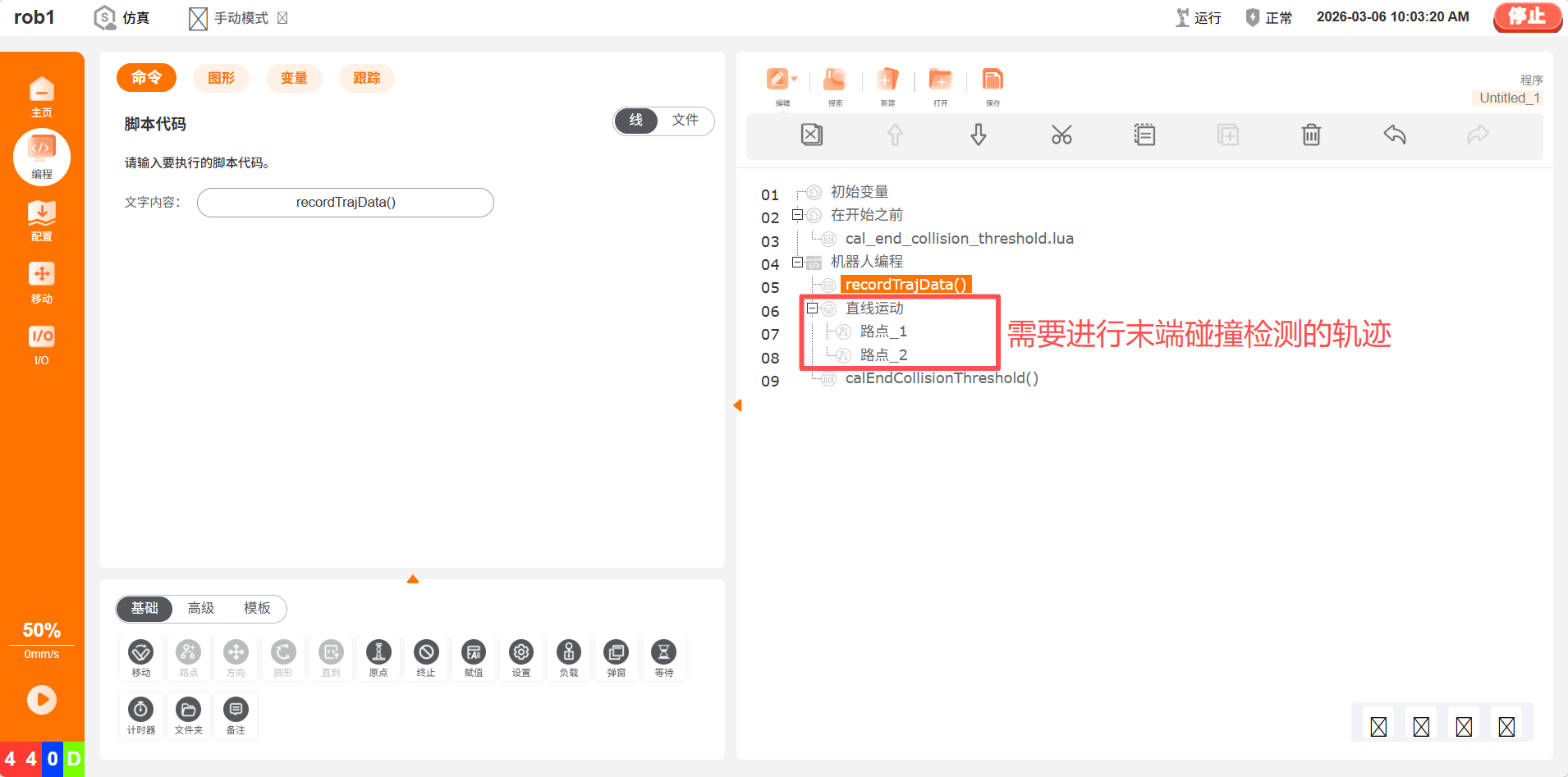
Before performing threshold identification, you need to first write the running trajectory and install the actual load.
Copy the cal_end_collision_threshold.lua file into
/root/arcs_ws/program.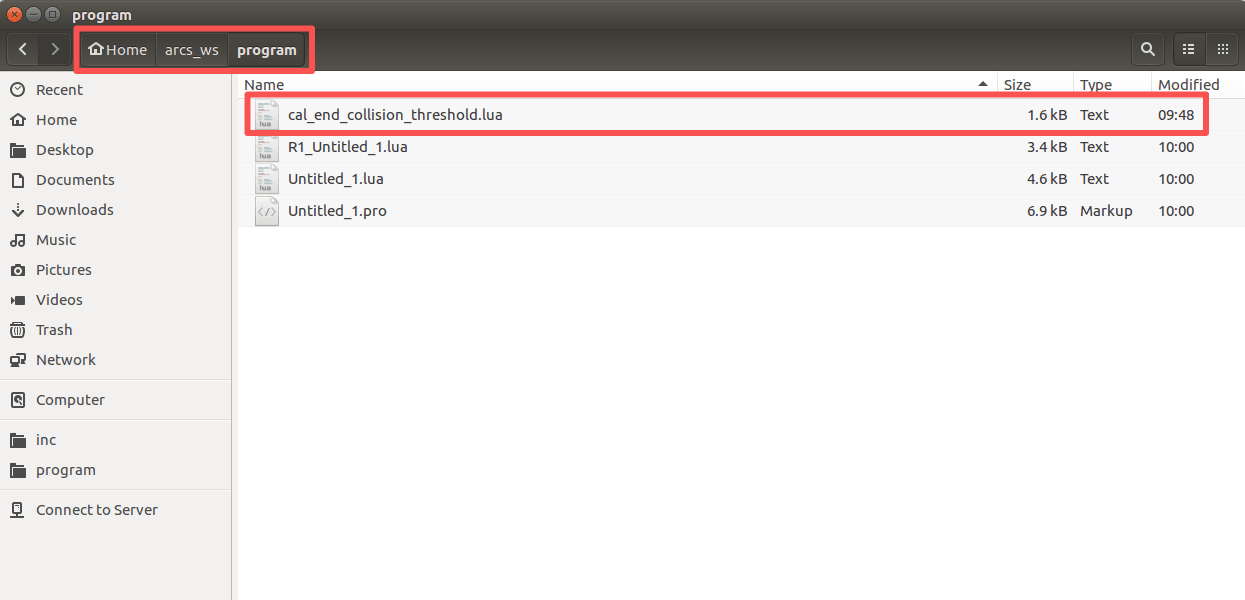
Load the
cal_end_collision_threshold.luascript in the project.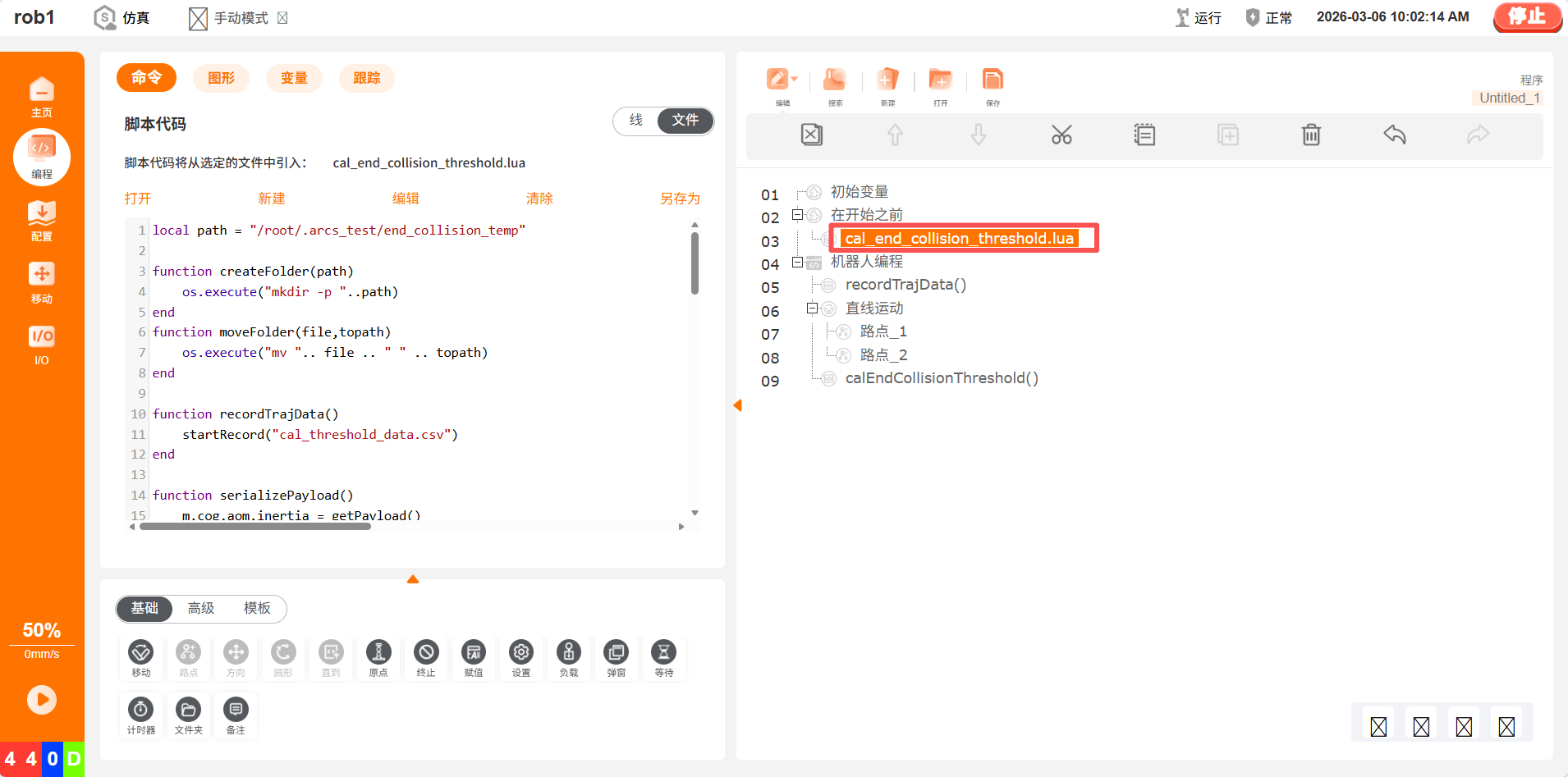
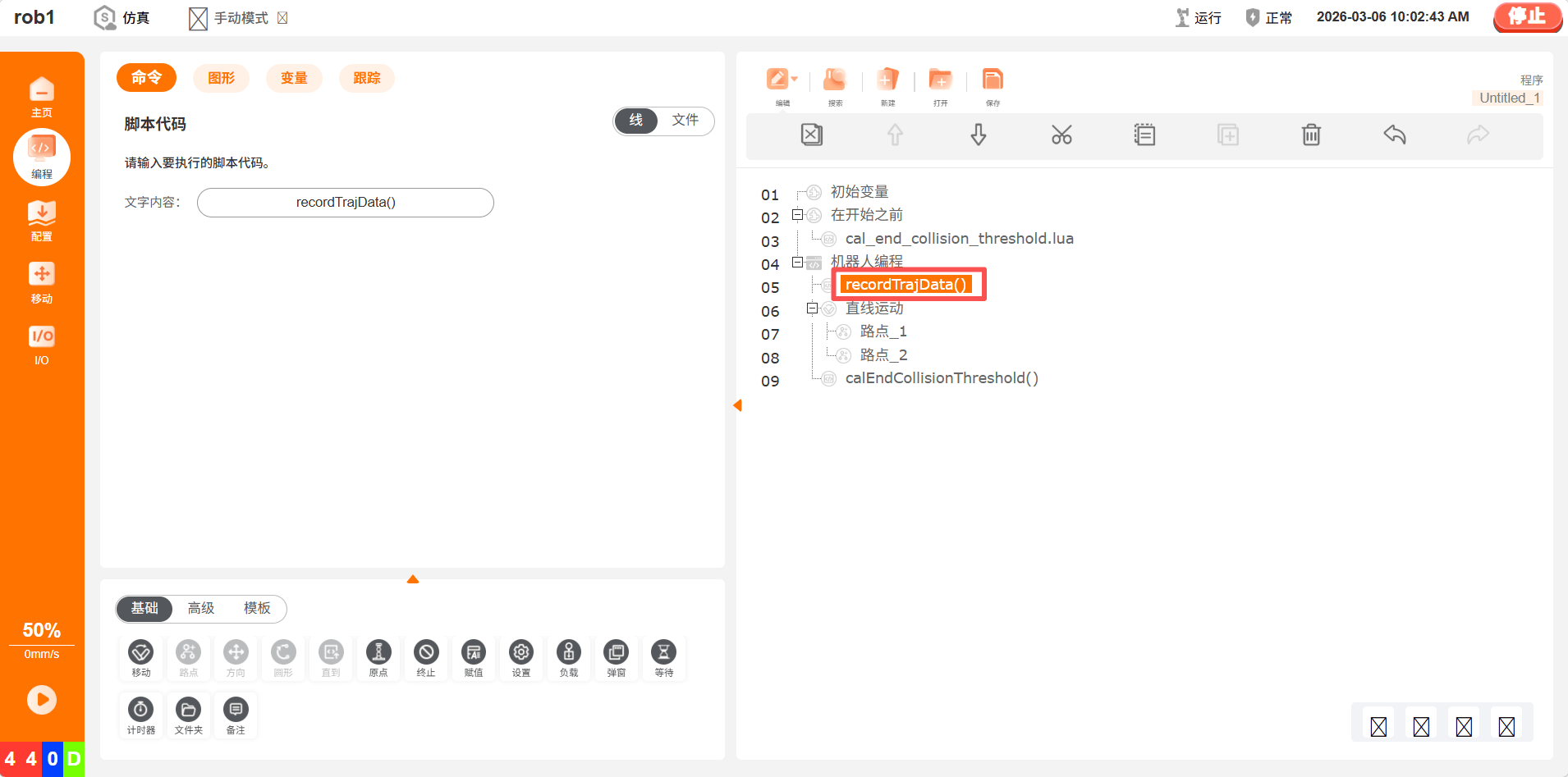
Before running the trajectory, add "start recording trajectory data".
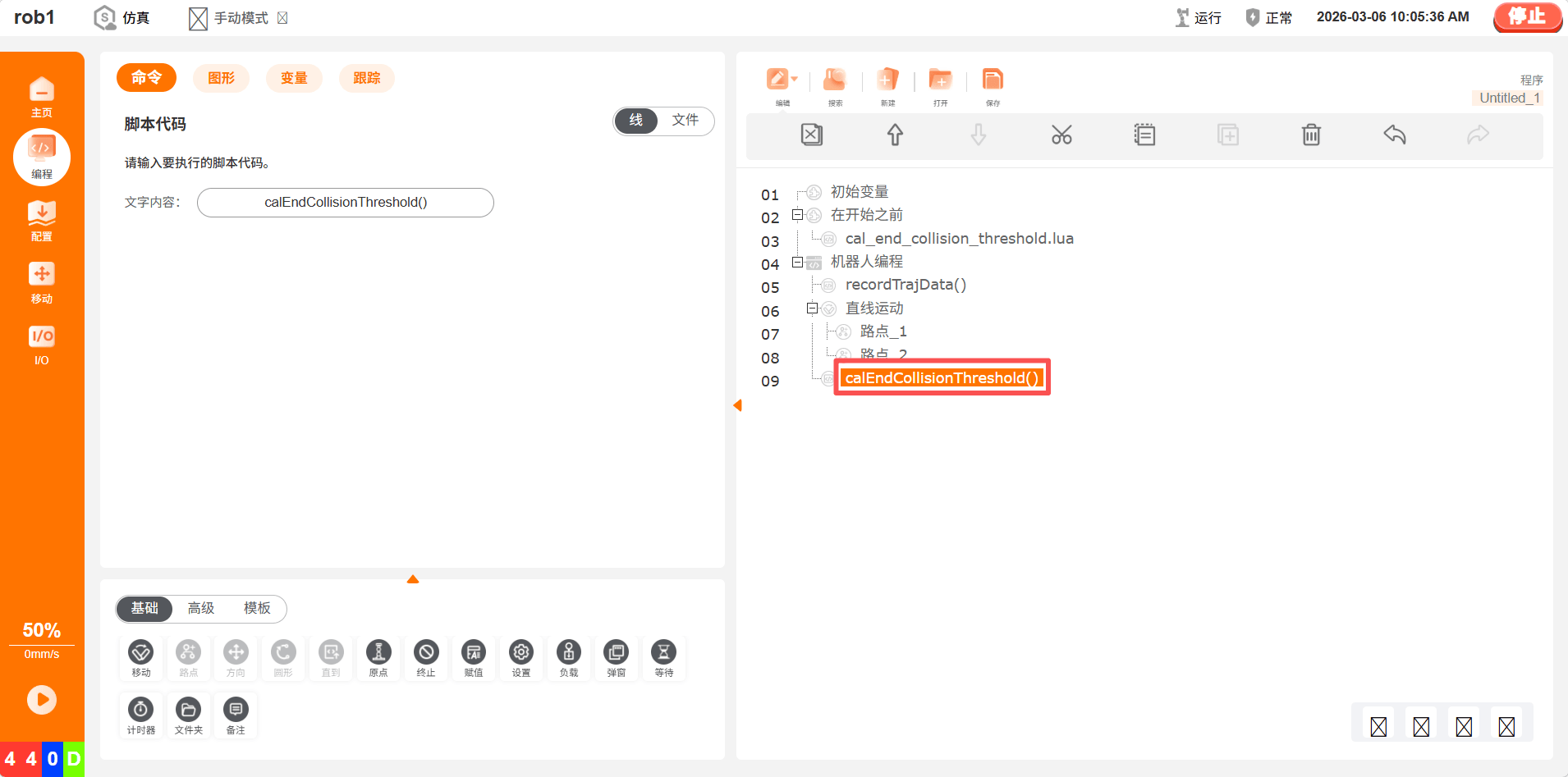
After running the trajectory, add "calculate the end collision threshold".
Run the project to complete the threshold calculation function.
Restart and load the end collision threshold.
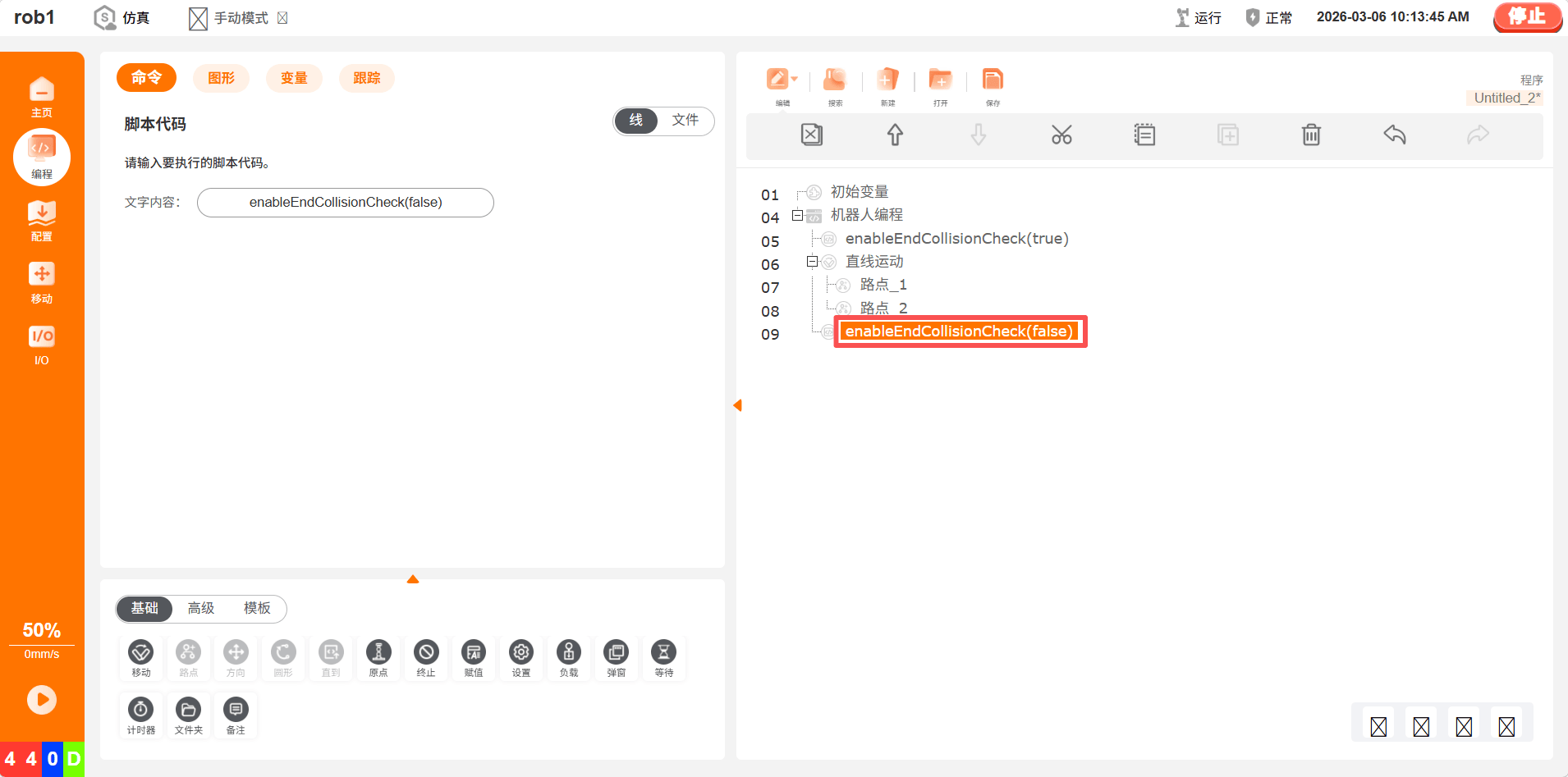
How to Use the End Collision Function in a Project
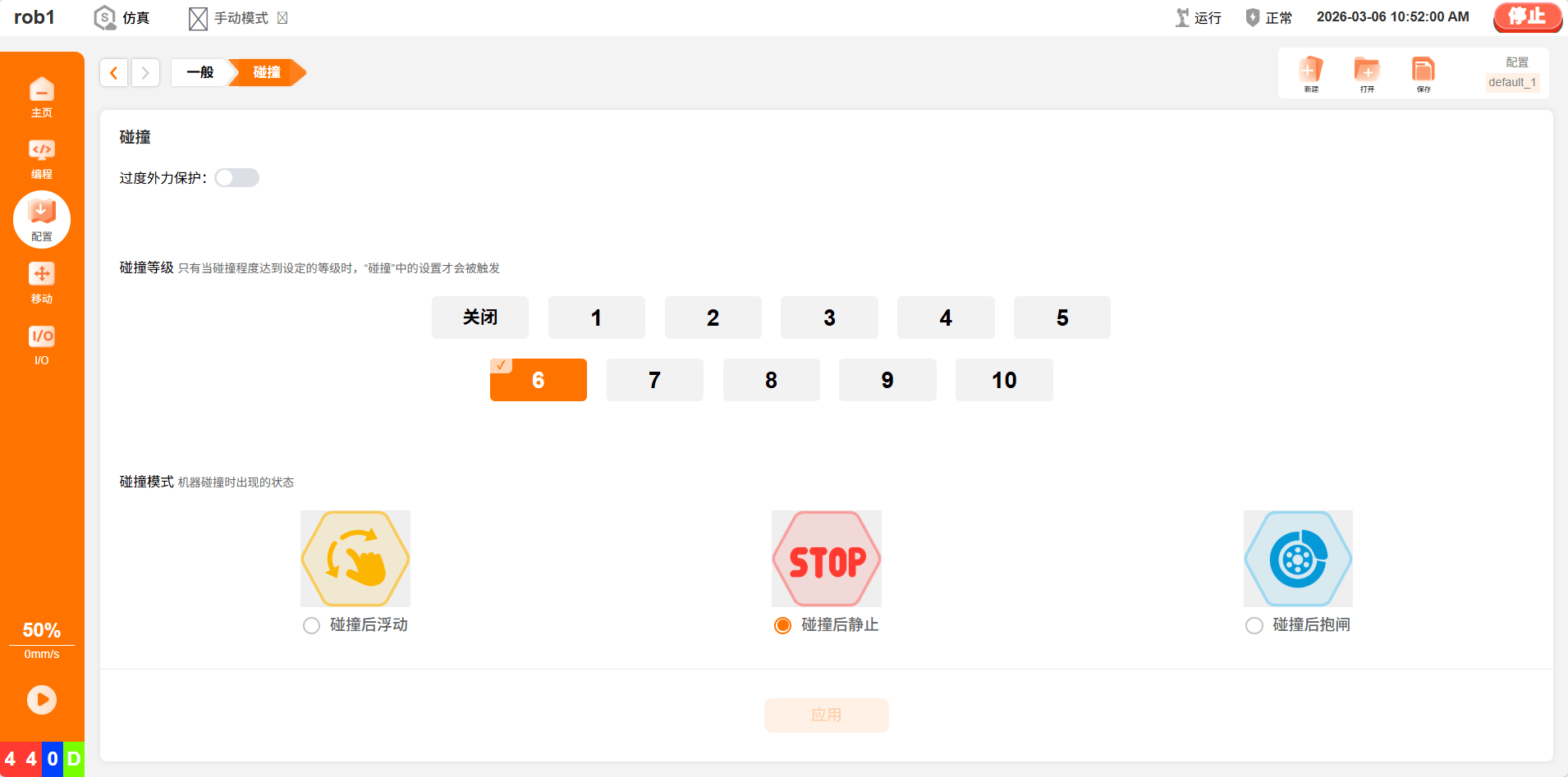
- Adjust the collision level to achieve different collision sensitivity; level 1 is the least sensitive and level 10 is the most sensitive.
- Enable the end collision function before running the trajectory.
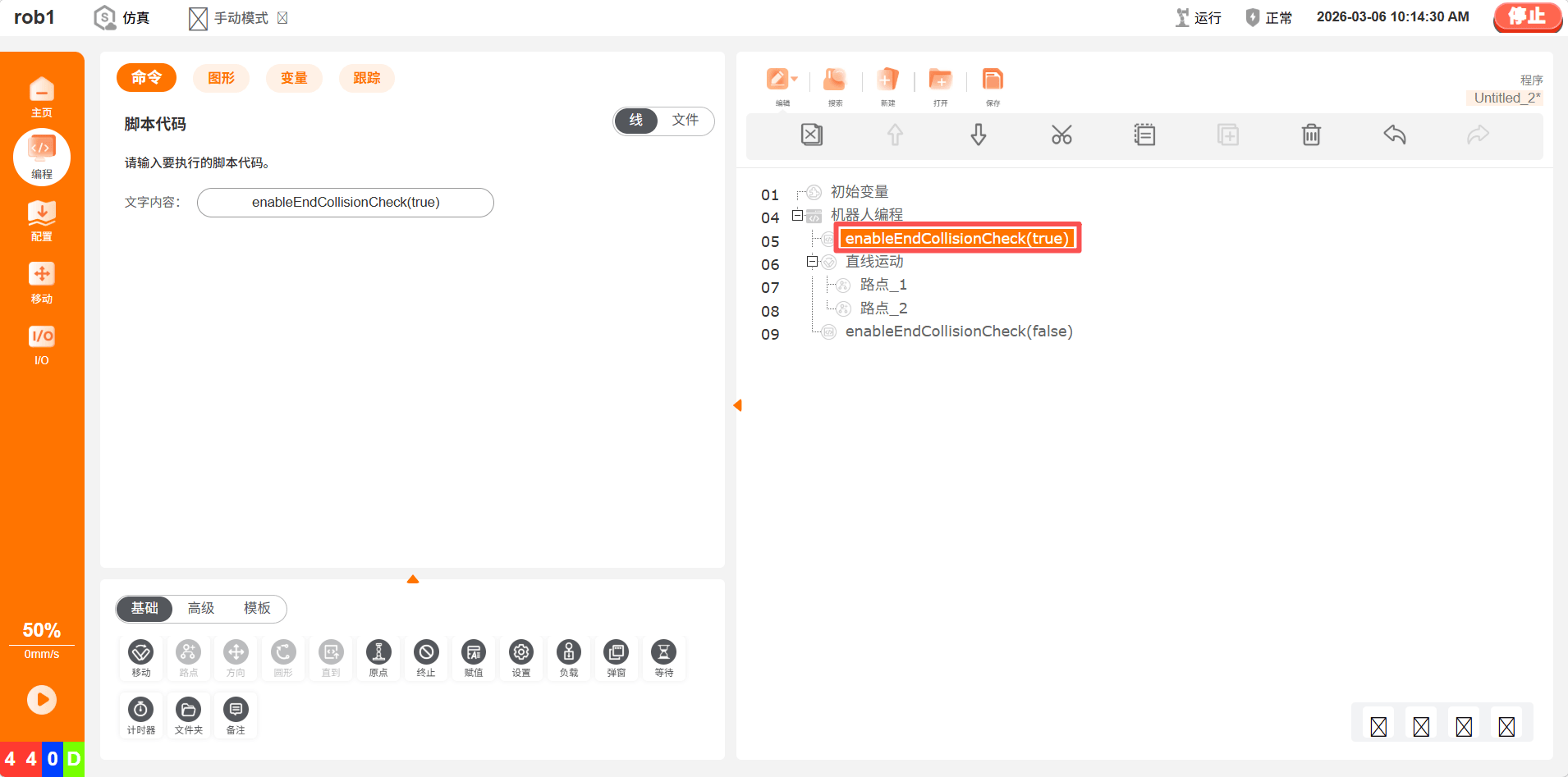
- Disable the end collision function after running the trajectory to prevent false collisions during other operations.
III. Notes
In practical applications, pay attention to load changes. For example, in machining loading/unloading, the load after pick-and-place needs to be updated in the following way.