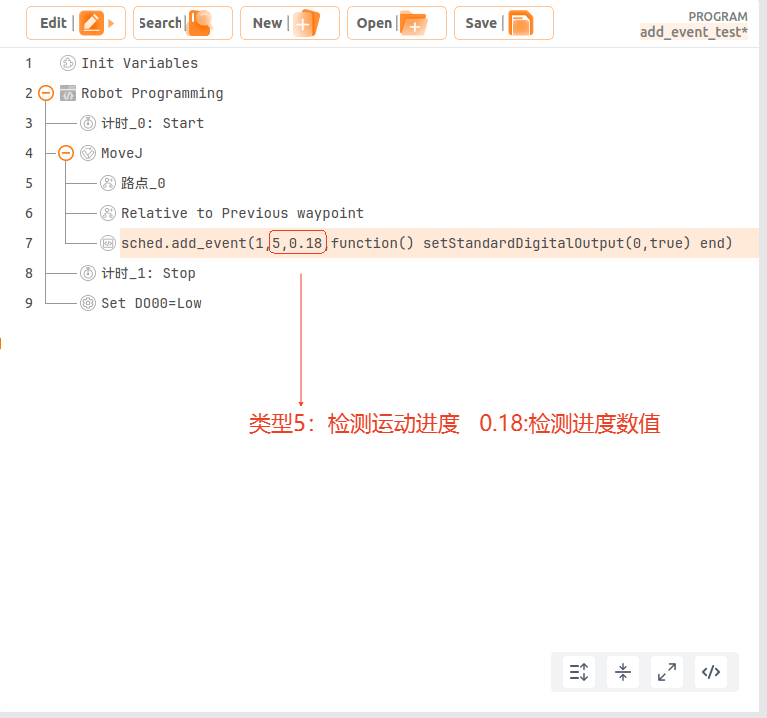
Motion Event Triggering Guide
1. Introduction
ARCS supports triggering an event during motion. The most common event is triggering an IO signal in glue dispensing applications.
2. Parameter Introduction
Script function:
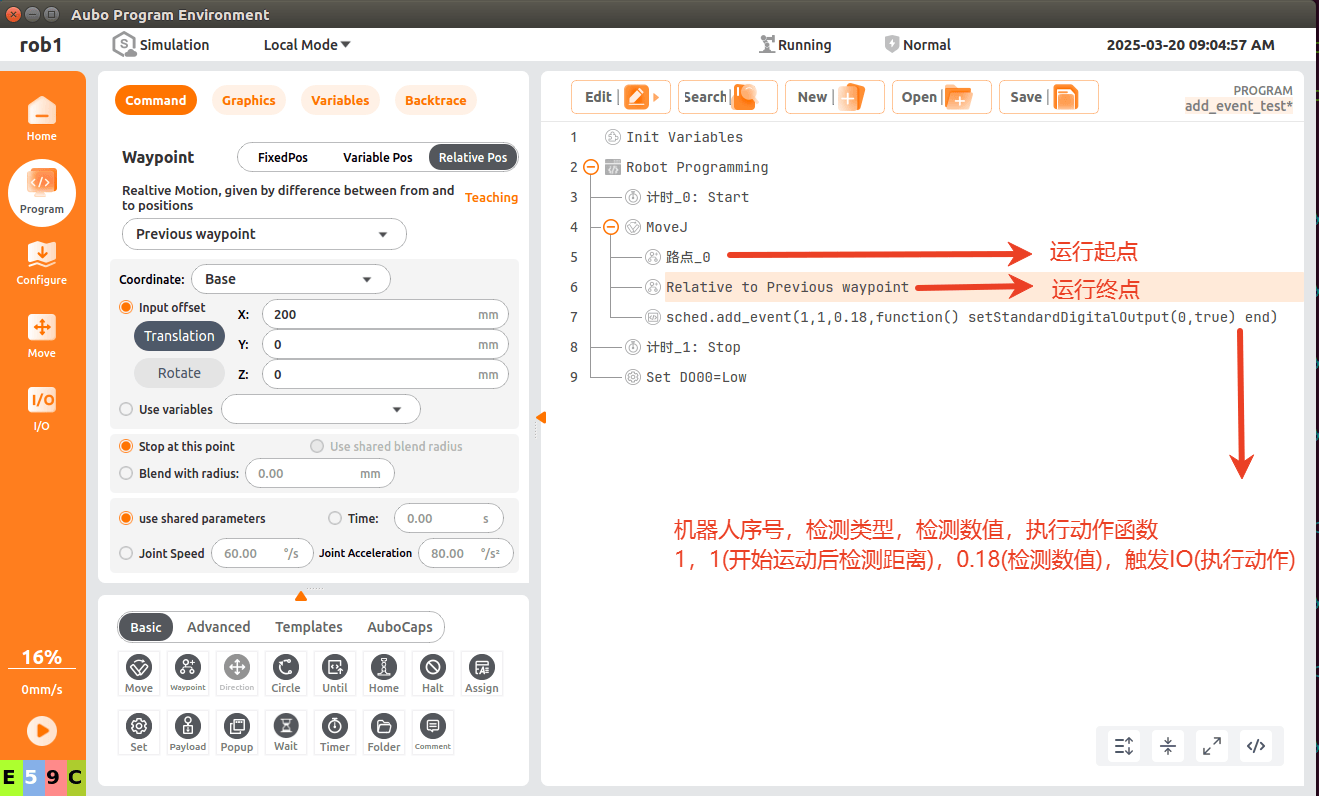
sched.add_event(robot_index, type, distance, callback)robot_index: Robot sequence (generally 1 for a single robot; test with 1 here).
type: Detection type
Type 1: distance after the motion starts
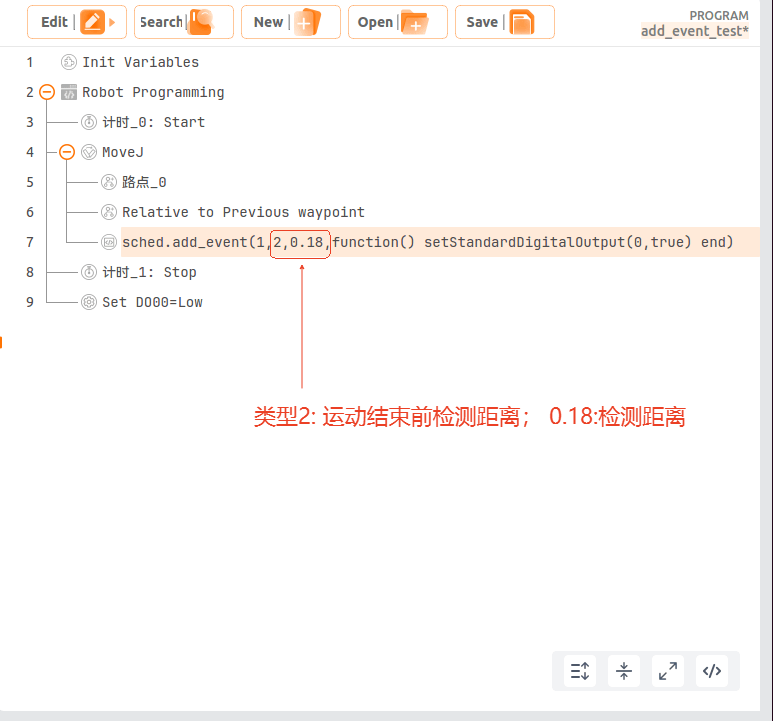
Type 2: distance before the motion ends
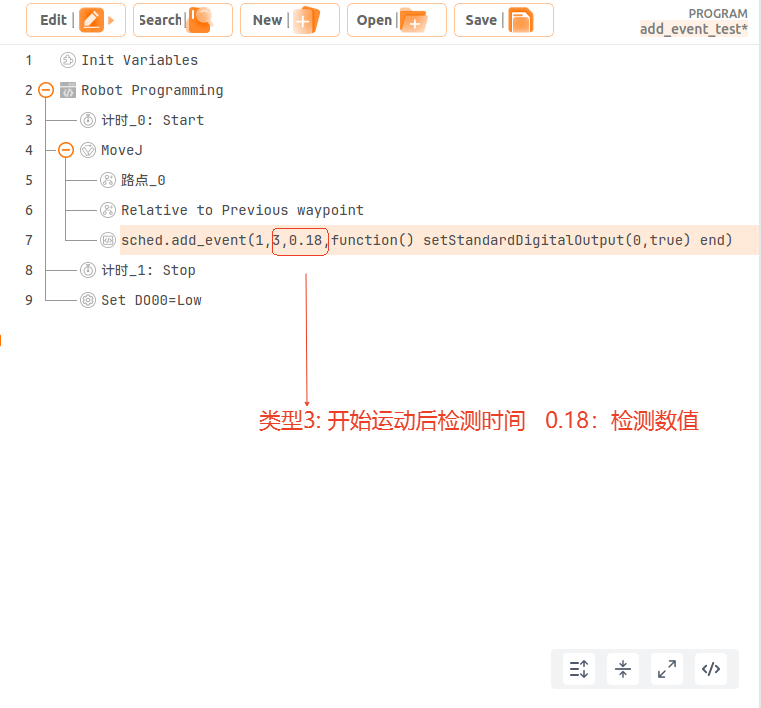
Type 3: time after the motion starts
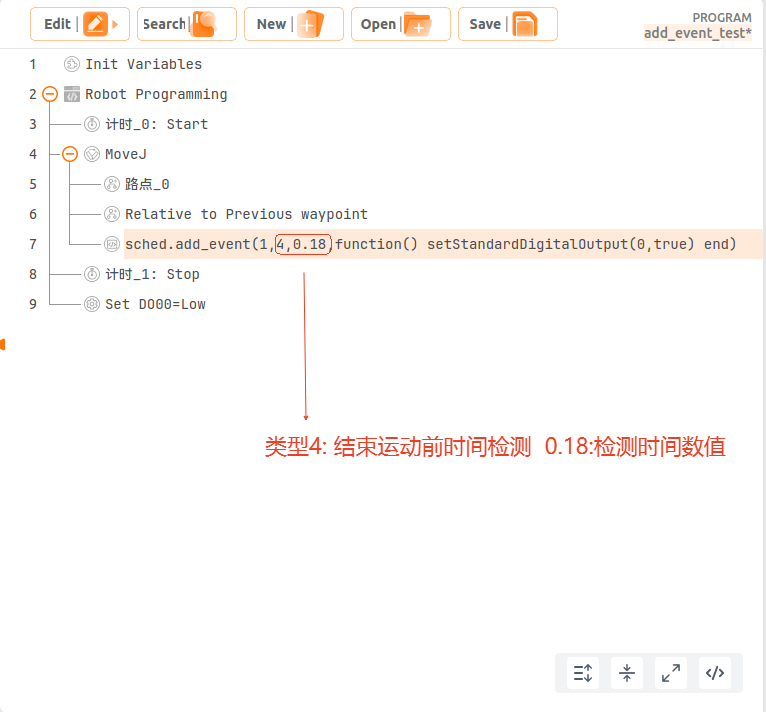
Type 4: time before the motion ends
Type 5: motion progress
distance: The judgment value for the corresponding selected type. If it is a time type, the unit is s; if it is a distance type, the unit is m; the value range corresponding to the last progress type is 0-1.
callback: The corresponding triggered action; here an IO output trigger is written.
3. Example
3.1 Type 1
sched.add_event(1,1,0.18,function() setStandardDigitalOutput(0,true) end)
Move between waypoints line5 and line6; trigger the IO 0.18 m after the motion starts at waypoint line5.
3.2 Type 2
sched.add_event(1,2,0.18,function() setStandardDigitalOutput(0,true) end)
Move between waypoints line5 and line6; trigger the IO 0.18 m before the motion ends at waypoint line6.
3.3 Type 3
sched.add_event(1,3,0.18,function() setStandardDigitalOutput(0,true) end)
Move between waypoints line5 and line6; trigger the IO 0.18 s after the motion starts at waypoint line5.
3.4 Type 4
sched.add_event(1,4,0.18,function() setStandardDigitalOutput(0,true) end)
Move between waypoints line5 and line6; trigger the IO 0.18 s before the motion ends at waypoint line6.
3.5 Type 5
sched.add_event(1,5,0.18,function() setStandardDigitalOutput(0,true) end)
Move between waypoints line5 and line6; trigger the IO after the motion progress reaches 18%.