Custom Popup Window for Plugins
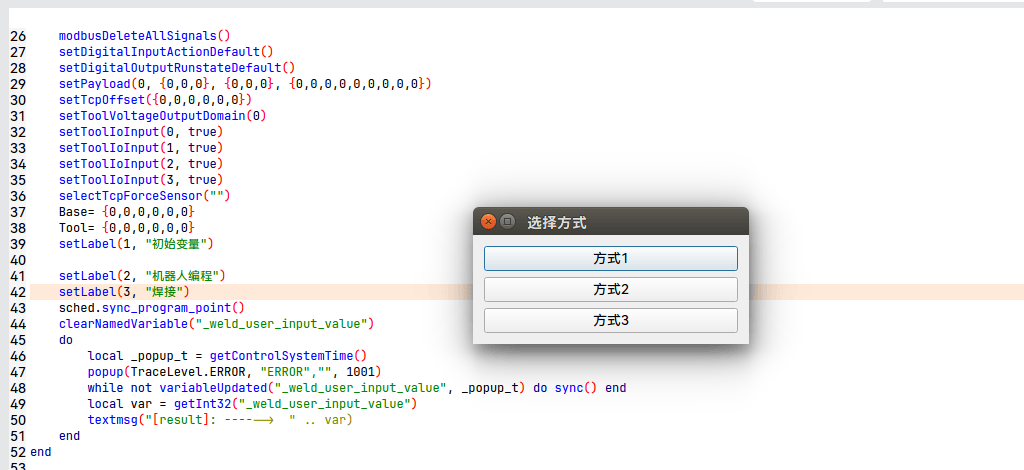
Write the Script
lua
--清掉_weld_user_input_value变量名
clearNamedVariable("_weld_user_input_value")
do
    local _popup_t = getControlSystemTime()
    --1001 是自己定义的mode
    popup(TraceLevel.ERROR, "ERROR","", 1001)
    --等待外部设置_weld_user_input_value变量
    while not variableUpdated("_weld_user_input_value", _popup_t) do sync() end
    --获取并打印变量
    local var = getInt32("_weld_user_input_value")
    textmsg("[result]: ------> " .. var)
    --可以根据这个变量的值进行后续处理...
end- You need to define a custom variable name; in the example it is _weld_user_input_value
- You need to define a custom mode, which must be greater than 1000
Plugin Code Handling
cpp
//连接信号槽
auto robot_proxy_ = api_provider_->getProgramApi()->getRobotProxy();
connect(robot_proxy_.get(), &RobotProxy::popup, this,
                &WeldingProgramNodeView::onPopup, Qt::QueuedConnection);

//处理popup信号
void WeldingProgramNodeView::onPopup(int robot_index, int level,
                                     const QString &title, const QString &msg,
                                     int mode)
{
    if ( mode == 1001) {
        ChoiceDialog dg(this); //这个是自定义的弹窗,里面有三个按钮,对于结果0,1,2
        dg.exec();
        int ret = dg.result();//获取用户点击按钮后的结果

        robot_proxy_->getRegisterControl()->setInt32("_weld_user_input_value",
                                                     ret);
    }
}
Result
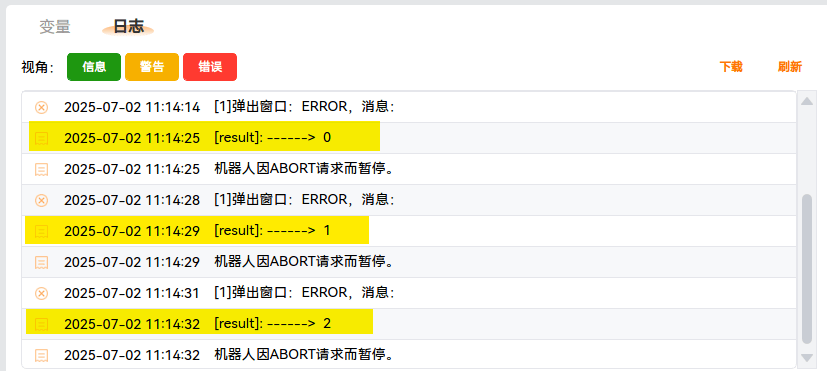
Clicking each of the three buttons prints the following: