
Note on Occasional Failure of All IOs in Improved Control Cabinets
Problem Description
The problem phenomena are as follows:
Phenomenon 1: During the power-on operation of the robot arm, there is a small probability that when the teach pendant is in the enabled state, if the teach pendant emergency stop is pressed or the teach pendant is directly unplugged, the emergency stop indicator does not light up and the robot arm remains in the running state. Powering off and restarting the control cabinet restores normal operation. 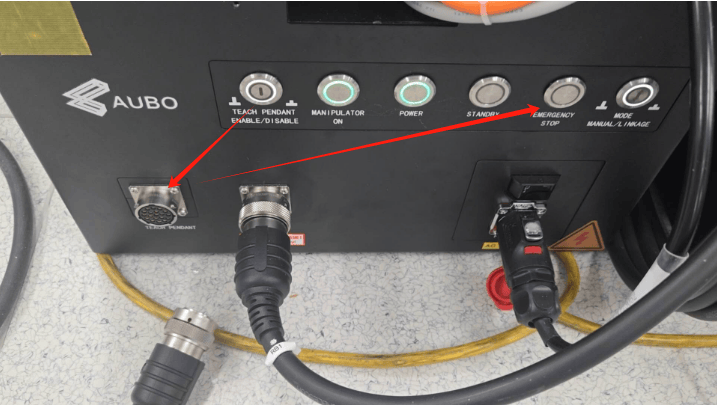
Phenomenon 2: After the control cabinet is powered on, there is a small probability that when the configured emergency stop IO input is actually normally closed externally, the teach pendant interface shows normally open (off state), causing the control cabinet to detect an emergency stop state and light the emergency stop indicator. Powering off and restarting the control cabinet restores normal operation. 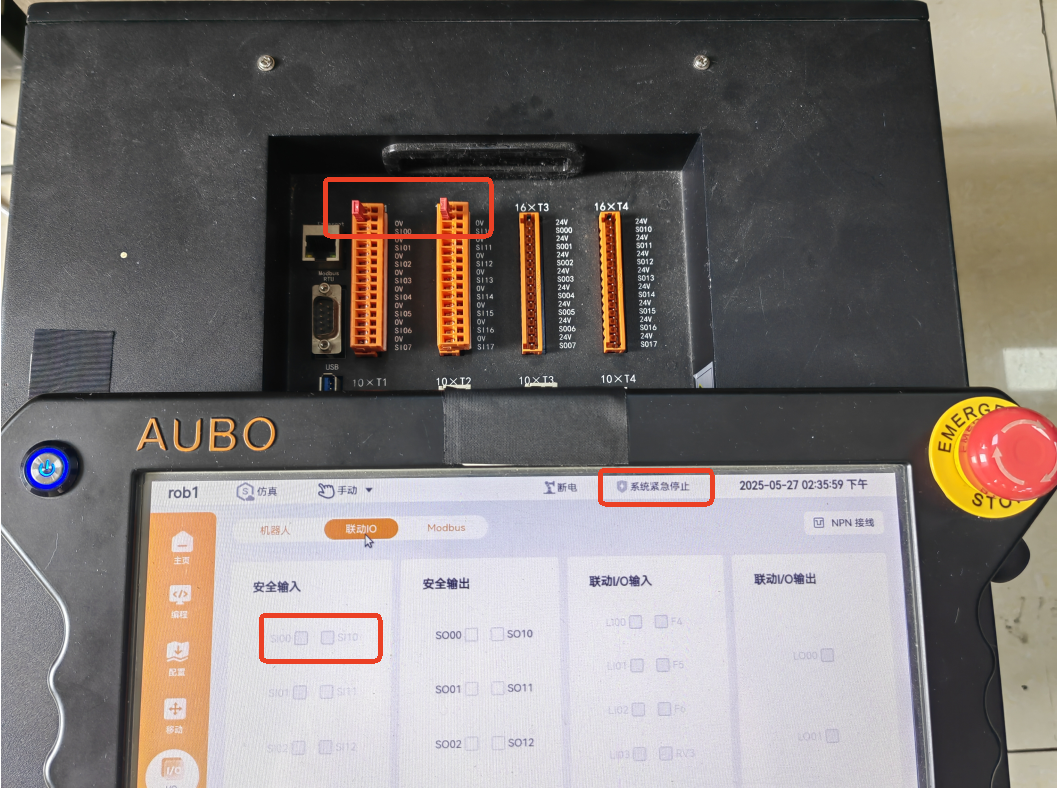
Phenomenon 3: After the control cabinet is powered on, there is a small probability that it cannot power on, the standby indicator does not light up, and the teach pendant screen is black. Powering off and restarting the control cabinet restores normal operation. 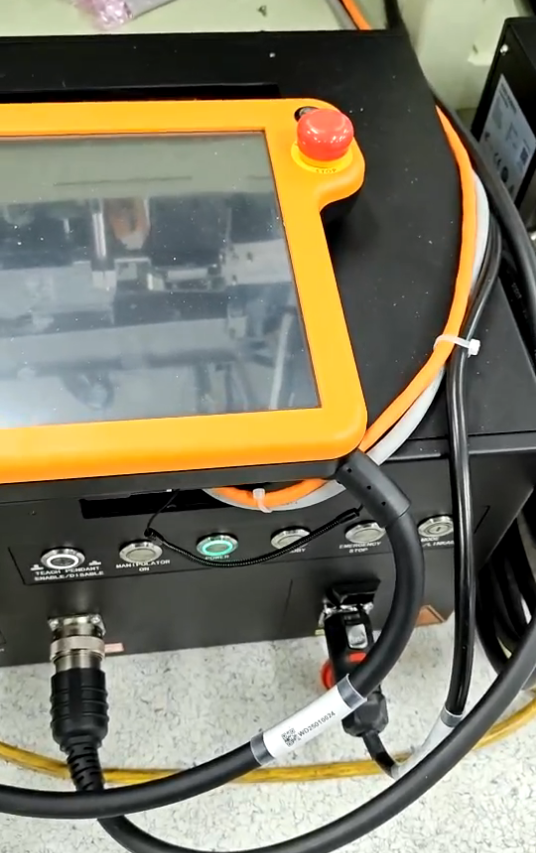
Problem description: After investigation, the three phenomena are related. In all of them, the interface board enters an abnormal interrupt state, and low-priority tasks (IO state update) cannot run, while high-priority tasks (such as Ethernet communication) run normally. This is why the host communication is normal but the IO is abnormal. The cause of the abnormal trigger is a bug in the interface board firmware that enabled an unused interrupt (the log output serial port enabled the receive interrupt, but there is no handler for the receive interrupt, so the interrupt flag is never cleared, and once triggered it enters an infinite loop). Electromagnetic interference at the customer site triggers the interface board to enter an abnormal interrupt, and the phenomenon varies depending on when it is triggered. After powering off and restarting the control cabinet, the interface board performs a software reset and returns to normal operation.
Affected Range
Affected control cabinet types: Improved control cabinet / iMini control cabinet
Affected firmware versions: 1.0.45-rc.5 (including this version) and earlier; 1.1.13-rc.6 (including this version) and earlier
Problem Resolution
Firmware fix: disable the serial port receive interrupt during the log serial port initialization on the interface board host.
If the affected control cabinet has a network connection, the firmware can be downloaded online and installed; without a network, the firmware can be downloaded via a PC (download address: https://download.aubo-robotics.cn/firmware/) and imported via a USB drive.
- Fixed firmware versions
v1.0 branch: 1.0.45-rc.6 and above (including this version). In addition, the 1.0.44-rc.5 version provided for customer sites based on the 1.0.44-rc.4 version also resolves the problem.
v1.1 branch: 1.1.13-rc.7 and above (including this version)
Firmware upgrade steps
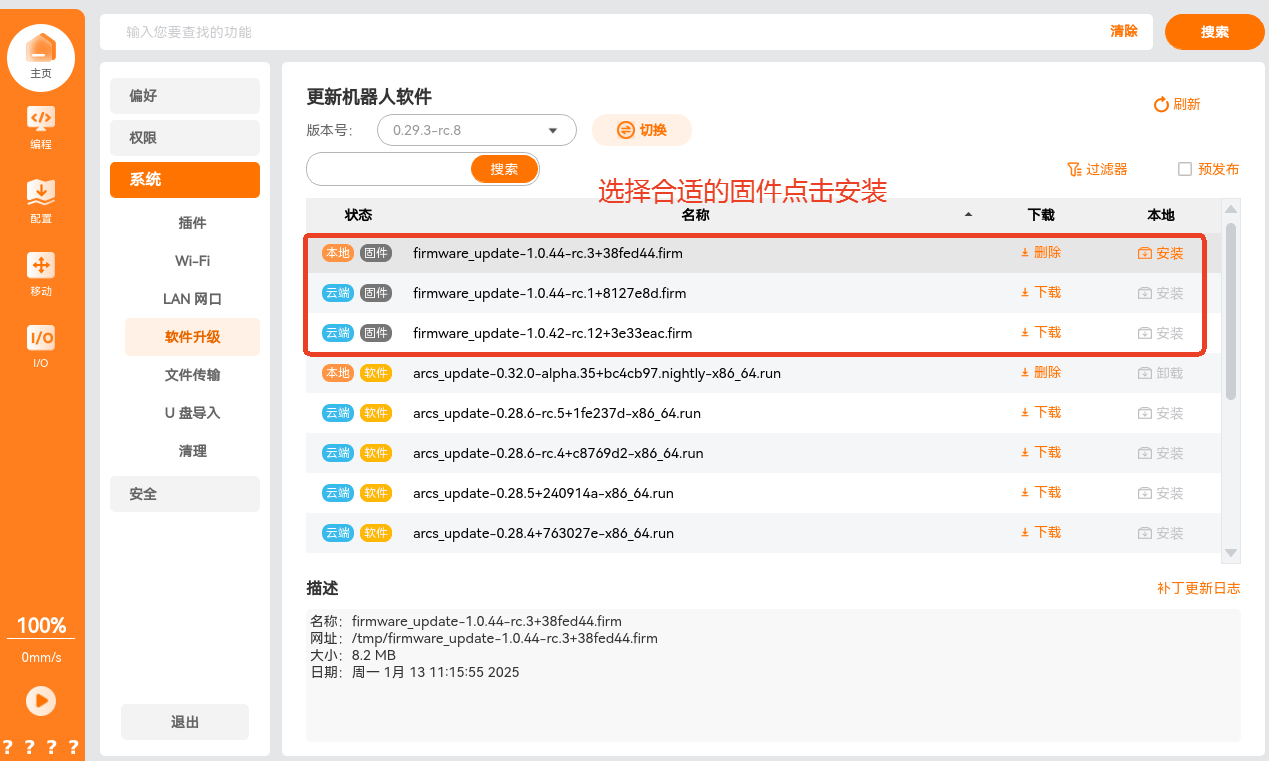
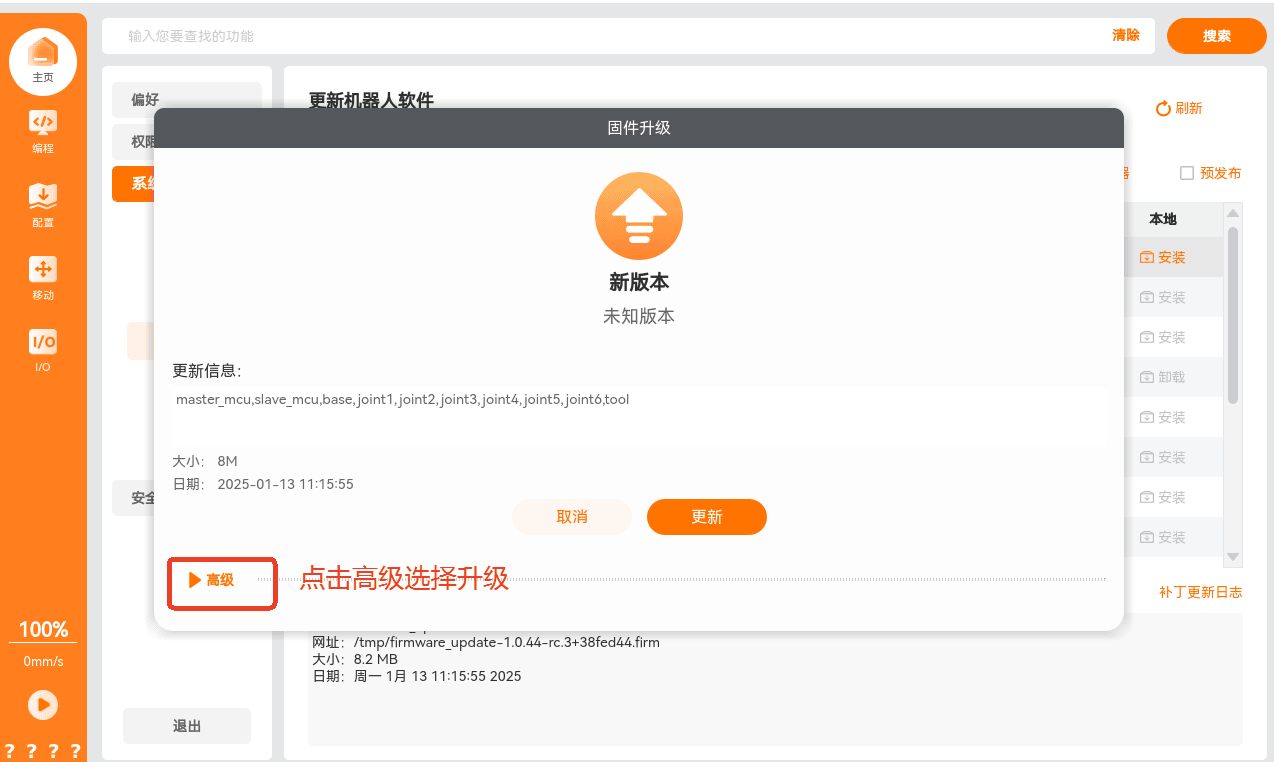
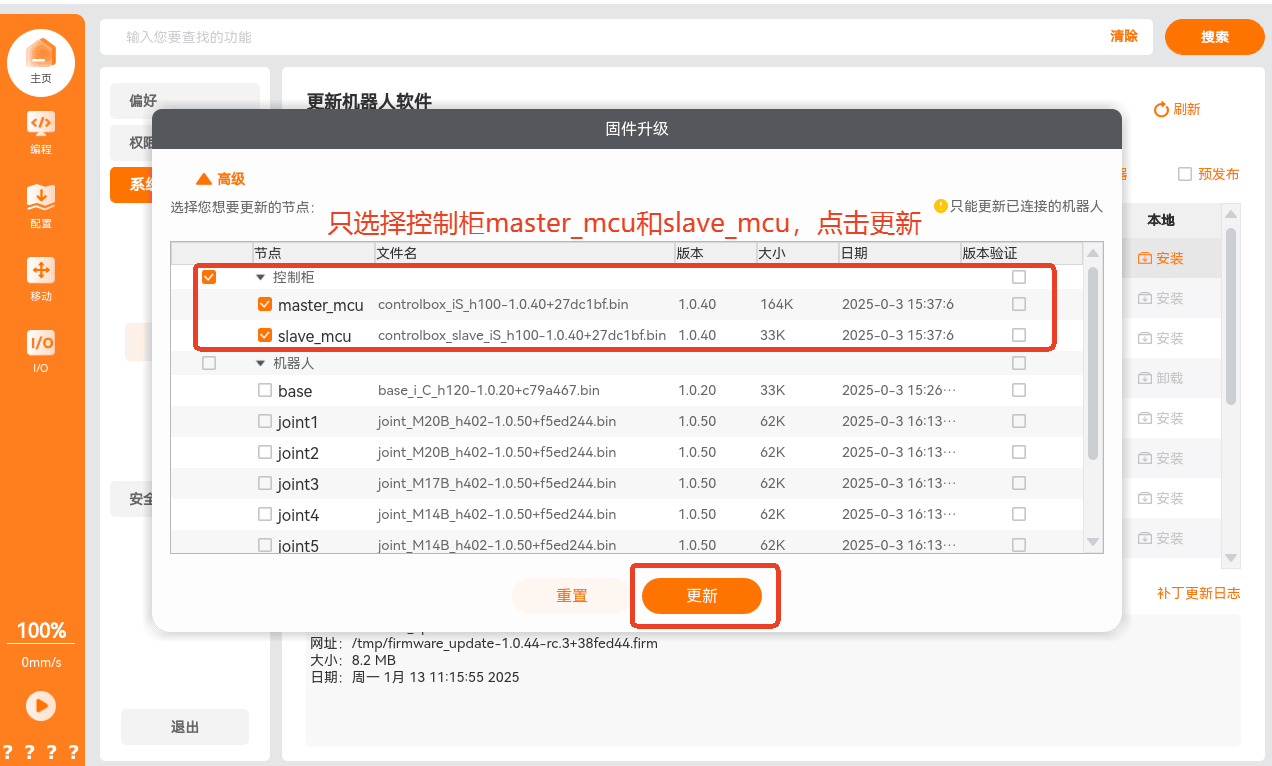
After the upgrade is complete, restart the control cabinet.