76 Custom Popup Window for Plugins
Write the Script
lua
-- Clear the _weld_user_input_value variable
clearNamedVariable("_weld_user_input_value")
do
    local _popup_t = getControlSystemTime()
    -- 1001 is a user-defined mode
    popup(TraceLevel.ERROR, "ERROR","", 1001)
    -- Wait for the _weld_user_input_value variable to be set externally
    while not variableUpdated("_weld_user_input_value", _popup_t) do sync() end
    -- Get and print the variable
    local var = getInt32("_weld_user_input_value")
    textmsg("[result]: ------> " .. var)
    -- Follow-up processing can be based on this value...
end- You need to define a custom variable name; in the example it is _weld_user_input_value
- You need to define a custom mode, which must be greater than 1000
Plugin Code Handling
cpp
// Connect the signal to the slot
auto robot_proxy_ = api_provider_->getProgramApi()->getRobotProxy();
connect(robot_proxy_.get(), &RobotProxy::popup, this,
                &WeldingProgramNodeView::onPopup, Qt::QueuedConnection);

// Handle the popup signal
void WeldingProgramNodeView::onPopup(int robot_index, int level,
                                     const QString &title, const QString &msg,
                                     int mode)
{
    if ( mode == 1001) {
        ChoiceDialog dg(this); // Custom dialog with three buttons, returning results 0, 1, 2
        dg.exec();
        int ret = dg.result();// Get the result of the user's click

        robot_proxy_->getRegisterControl()->setInt32("_weld_user_input_value",
                                                     ret);
    }
}
Result
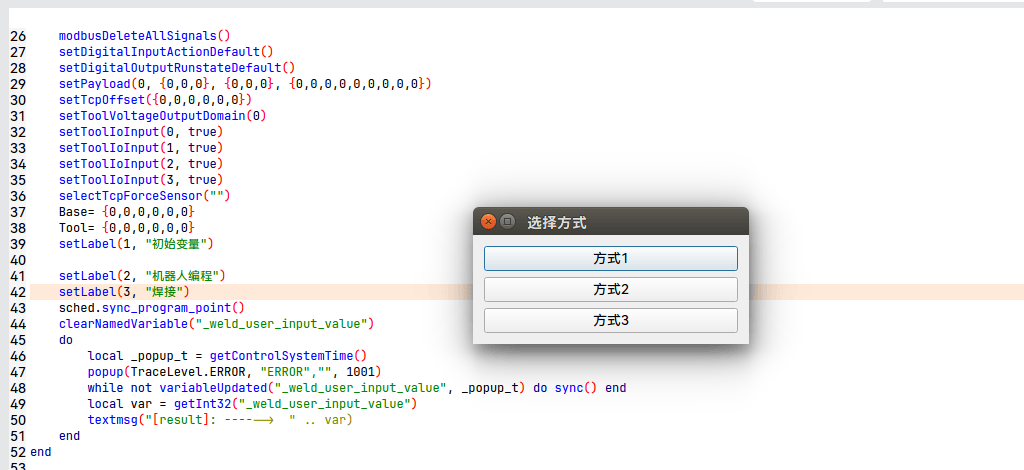
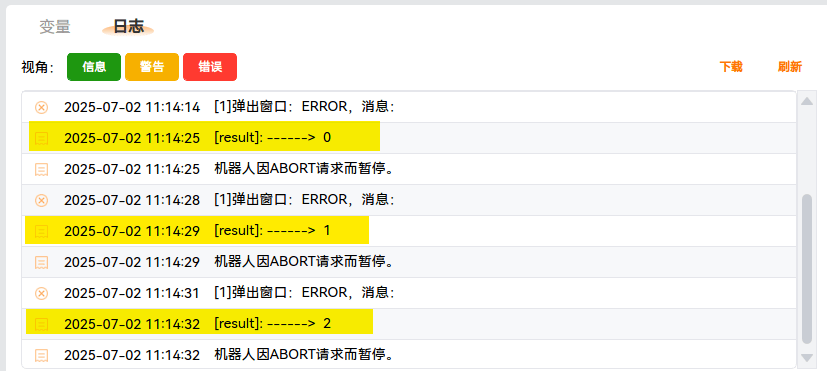
Clicking each of the three buttons prints the following: